Download Mac OS X 10.4 – 10.15 Original – All Versions
 Azaz Shaikh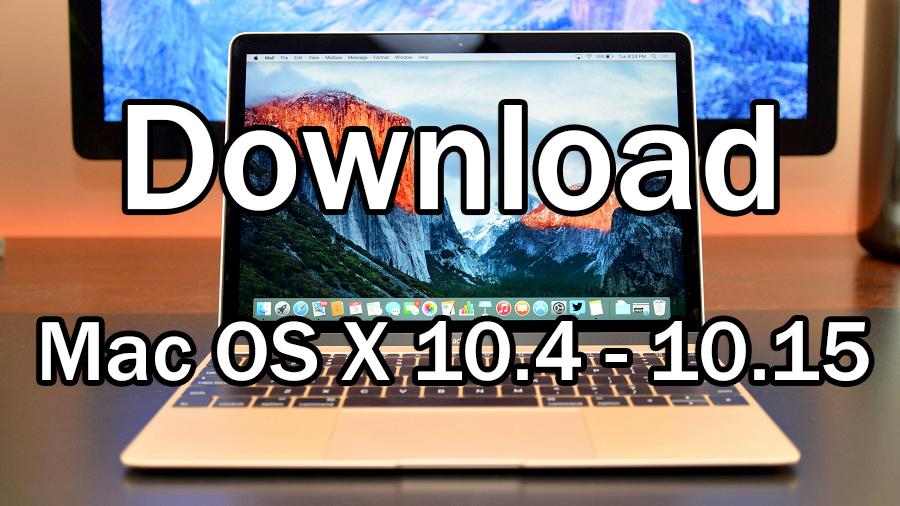
In this article, you will get direct links in order to Download Mac OS X 10.4 – 10.15 Original – All Versions. You will have the links to download all the versions of Mac OS X. From version 10.4 up to 10.15 version. The links in this article, all of them is totally original and downloaded from AppStore of Mac OS X. Any operating system of Mac from older to newer versions. Downloading the operating system such as Catalina, Mojave, High Sierra, Sierra, El Capitan, Yosemite, Mavericks, Mountain Lion, Lion, Snow Leopard, Leopard, and Tiger. The files which we are sharing doesn’t contain any virus or malware, all of them are completely safe and useful. However, trying and using different kinds of operating systems will give us more experience in using and becoming aware of that all. Using the older version of Mac OS X will be more interesting.
So, All versions are downloaded from the Apple Store. Both related.ISO and.DMG images were then created on macOS 10.10 Yosemite and are bootable to be used installing on VMware, Fusion, VirtualBox, and on a new Mac in the case you want a new fresh and new installation of operating systems.
Download Mac OS X 10.4 – 10.15 Original – All Versions
You can also download it from macOS AppStore all versions of Mac OS X. Well, downloading from the AppStore needs too much time because it will be download a little bit late. Therefore, we have made your work easier and faster by downloading it in one click. So, we have uploaded it into different servers in order to prevent problems and issues. But the downloading of these files need a high-speed network because each of them has a maximum of 9GB size, it will be download low internet too but somehow late.
So, for each version, we have portions in order to not mix with each other. Now, wait if over, you can download the version you want from the links below. However, keep in mind download each version one by one so that it should be download very soon.
Related:
- How to Download macOS High Sierra 10.13 ISO File -Direct Link
- Download macOS 10.15 Catalina ISO For VMware & VirtualBox
Download macOS 10.15 Catalina
In this section, you can download the macOS 10.15 Catalina from the links below if you want. DMG and ISO of macOS 10.15 Catalina is available at the below links
- Download macOS 10.15 Catalina DMG File
- macOS 10.15.3 Catalina ISO File Direct Link
- Download macOS 10.15.3 Catalina DMG File
Download macOS 10.14 Mojave
Now it is time to download the 10.14 versions which come in macOS Mojave. So, as you might know that downloading from the direct links is a bit easier than downloading from the AppStore. Therefore. head towards the links below and click on the links in order to download.
- macOS 10.14 Mojave. app (5.61GB) Direct Link
- macOS 10.14 Mojave DMG File (6.19GB) Download
- Download macOS 10.14 Mojave ISO File
Download macOS 10.13 High Sierra
In this section, you will have the direct links in order to download a 10.13 version which is macOS 10.13 High Sierra. So, you have to click on the links below in order to download those.
- Download macOS 10.13 High Sierra DMG File (5.8GB)
- macOS 10.13 High Sierra ISO File (5.8GB) Direct Download
Download macOS X 10.12 Sierra
Furthermore, have direct downloads link from the below in order to download 10.12 versions that come in macOS Sierra.
Download Mac OS X 10.11 El Capitan
- Get download Mac OS X 10.11 EI Capitan ISO File ( 7.14GB)
- Mac OS X 10.11 EI Capitan DMG File (7.41GB)
Download Mac OS X 10.10 Yosemite
- Download Mac OS X 10.10.5 Yosemite DMG File (6.66 Gb)
- Mac OS X 10.10.5 Yosemite ISO File (6.66 Gb) Free Download
Download Mac OS X 10.9 Mavericks
- Mac OS X 10.9 Mavericks DMG File (5.69GB) Download
- Mac OS X 10.9 Mavericks ISO File (5.69GB) Download
Download Mac OS X 10.8 Mountain Lion
- Mac OS X 10.18 Mountain Lion DMG File (6GB) Download
- Download Mac OS X 10.18 Mountain Lion ISO File (6GB)
Download Mac OS X 10.7 Lion
Download Mac OS X 10.6 Snow Leopard
- Mac OS X 10.6 Snow Leopard DMG File (6.43GB) Free Download
- Download Mac OS X 10.6 Snow Leopard ISO File (7.80GB)
Download Mac OS X 10.5 Leopard
Download Mac OS X 10.4 Tiger
- Mac OS X 10.4 Tiger ISO File (2.64GB) Direct Download
- Mac OS X 10.4 Tiger DMG File (2.64GB) Direct Download
Final Words
So, that’s all about Download Mac OS X 10.4 – 10.15 Original – All Versions. Therefore, all versions of Mac OS X are valid up to date and don’t contain any virus or problems. I hope this article was helpful for you while installing the New Mac OS. However, if you faced any kind of problem or any question while downloading these all then feel free to leave comments. Don’t forget to comment on your feedback and suggestion.
Share This Article
In this article, you will get direct links in order to Download Mac OS X 10.4 – 10.15 Original – All Versions. You will have the links to download all the versions of Mac OS X. From version 10.4 up to 10.15 version. The links in this article, all of them is totally original and downloaded from AppStore of Mac OS X. Any operating system of Mac from older to newer versions. Downloading the operating system such as Catalina, Mojave, High Sierra, Sierra, El Capitan, Yosemite, Mavericks, Mountain Lion, Lion, Snow Leopard, Leopard, and Tiger. The files which we are sharing doesn’t contain any virus or malware, all of them are completely safe and useful. However, trying and using different kinds of operating systems will give us more experience in using and becoming aware of that all. Using the older version of Mac OS X will be more interesting.
So, All versions are downloaded from the Apple Store. Both related.ISO and.DMG images were then created on macOS 10.10 Yosemite and are bootable to be used installing on VMware, Fusion, VirtualBox, and on a new Mac in the case you want a new fresh and new installation of operating systems.
Download Mac OS X 10.4 – 10.15 Original – All Versions
You can also download it from macOS AppStore all versions of Mac OS X. Well, downloading from the AppStore needs too much time because it will be download a little bit late. Therefore, we have made your work easier and faster by downloading it in one click. So, we have uploaded it into different servers in order to prevent problems and issues. But the downloading of these files need a high-speed network because each of them has a maximum of 9GB size, it will be download low internet too but somehow late.
So, for each version, we have portions in order to not mix with each other. Now, wait if over, you can download the version you want from the links below. However, keep in mind download each version one by one so that it should be download very soon.
Related:
- How to Download macOS High Sierra 10.13 ISO File -Direct Link
- Download macOS 10.15 Catalina ISO For VMware & VirtualBox
Download macOS 10.15 Catalina
In this section, you can download the macOS 10.15 Catalina from the links below if you want. DMG and ISO of macOS 10.15 Catalina is available at the below links
- Download macOS 10.15 Catalina DMG File
- macOS 10.15.3 Catalina ISO File Direct Link
- Download macOS 10.15.3 Catalina DMG File
Download macOS 10.14 Mojave
Now it is time to download the 10.14 versions which come in macOS Mojave. So, as you might know that downloading from the direct links is a bit easier than downloading from the AppStore. Therefore. head towards the links below and click on the links in order to download.
- macOS 10.14 Mojave. app (5.61GB) Direct Link
- macOS 10.14 Mojave DMG File (6.19GB) Download
- Download macOS 10.14 Mojave ISO File
Download macOS 10.13 High Sierra
In this section, you will have the direct links in order to download a 10.13 version which is macOS 10.13 High Sierra. So, you have to click on the links below in order to download those.
- Download macOS 10.13 High Sierra DMG File (5.8GB)
- macOS 10.13 High Sierra ISO File (5.8GB) Direct Download
Download macOS X 10.12 Sierra
Furthermore, have direct downloads link from the below in order to download 10.12 versions that come in macOS Sierra.
Download Mac OS X 10.11 El Capitan
- Get download Mac OS X 10.11 EI Capitan ISO File ( 7.14GB)
- Mac OS X 10.11 EI Capitan DMG File (7.41GB)
Download Mac OS X 10.10 Yosemite
- Download Mac OS X 10.10.5 Yosemite DMG File (6.66 Gb)
- Mac OS X 10.10.5 Yosemite ISO File (6.66 Gb) Free Download
Download Mac OS X 10.9 Mavericks
- Mac OS X 10.9 Mavericks DMG File (5.69GB) Download
- Mac OS X 10.9 Mavericks ISO File (5.69GB) Download
Download Mac OS X 10.8 Mountain Lion
- Mac OS X 10.18 Mountain Lion DMG File (6GB) Download
- Download Mac OS X 10.18 Mountain Lion ISO File (6GB)
Download Mac OS X 10.7 Lion
Download Mac OS X 10.6 Snow Leopard
- Mac OS X 10.6 Snow Leopard DMG File (6.43GB) Free Download
- Download Mac OS X 10.6 Snow Leopard ISO File (7.80GB)
Download Mac OS X 10.5 Leopard
Download Mac OS X 10.4 Tiger
- Mac OS X 10.4 Tiger ISO File (2.64GB) Direct Download
- Mac OS X 10.4 Tiger DMG File (2.64GB) Direct Download
Final Words
So, that’s all about Download Mac OS X 10.4 – 10.15 Original – All Versions. Therefore, all versions of Mac OS X are valid up to date and don’t contain any virus or problems. I hope this article was helpful for you while installing the New Mac OS. However, if you faced any kind of problem or any question while downloading these all then feel free to leave comments. Don’t forget to comment on your feedback and suggestion.