

Download macOS Unlocker For VMware (All Versions)
 Azaz Shaikh
In this guide, I will show you How to Download macOS Unlocker For VMware Workstation. You might hear about the VMware Workstation that what is the task of this. Basically, it is open-source virtualization software that will help users to install different kinds of the operating system. If you don’t want to destroy your actual operating system by installing another operating system like Linux or Ubuntu then a Virtual Machine will be the best choice for you. Most of the programmer is using VMware for installing Kali Linux and continue their hacking or coding.
But if you want to install VMware Workstation for the first time then you will surely not have the macOS option. It is the option that will allow you to install and experience Mac operating systems like macOS Mojave, macOS Catalina, and the newest macOS Big Sur. But new users get confused why VMware doesn’t have a macOS option. It has only one method in which you can activate macOS on your VMware Workstation.
There is a tool for VMware by the name of macOS Unlocker for VMware. macOS Unlocker is really handy and free tool. By installing that tool you will automatically get the macOS option. Once you get the option then you will be completely ready to install macOS Mojave, Catalina, and macOS Big Sur on VMware Workstation.
macOS Unlocker All Versions
Download macOS Unlocker for VMware
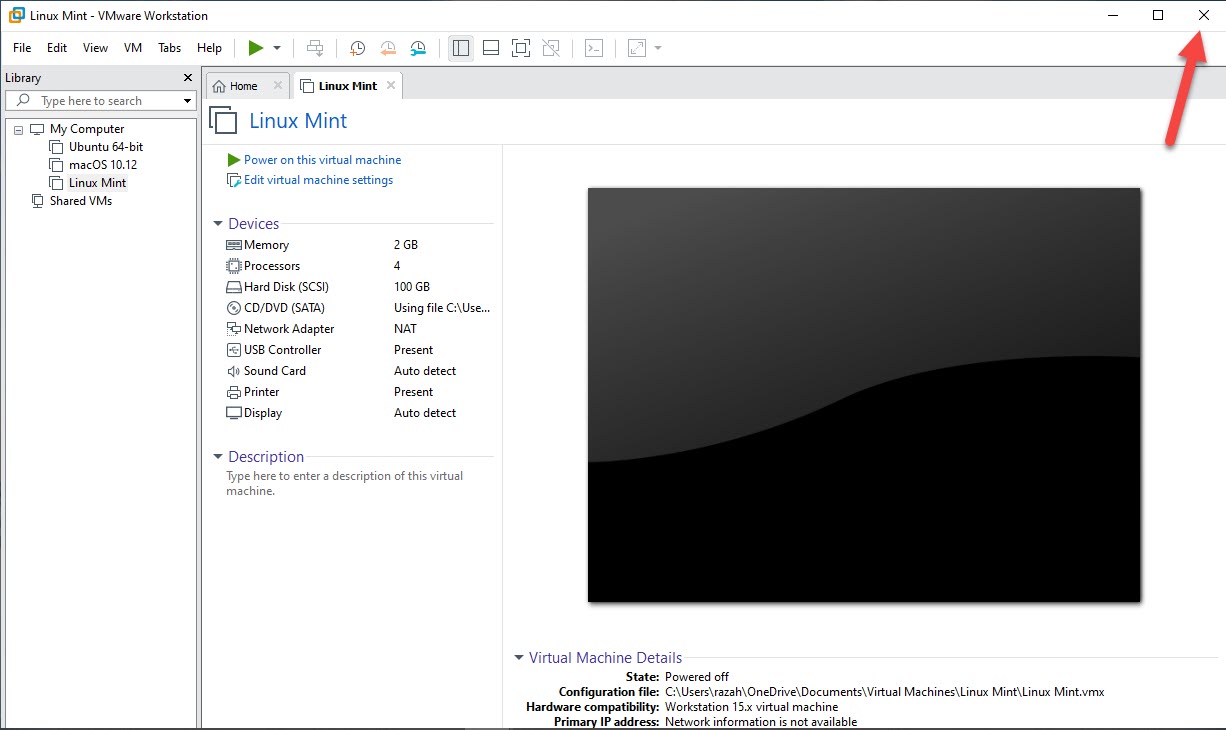
Step 1. At first, it must close the window VMware Workstation. It is not run in the background of your windows.
Step 2. When the unlocker is download is done then make sure to save it in the right place. Once it saves then Right-Click on the unlocker then tap on the Extract Here.
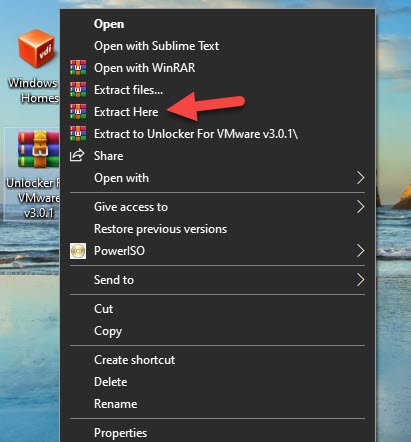 Tap on the Extract Here
 Step 3. Once you click on the extract here then you will get a folder then open the folder after that Right-Click on the Win-Install then click on the Run As Administrator.
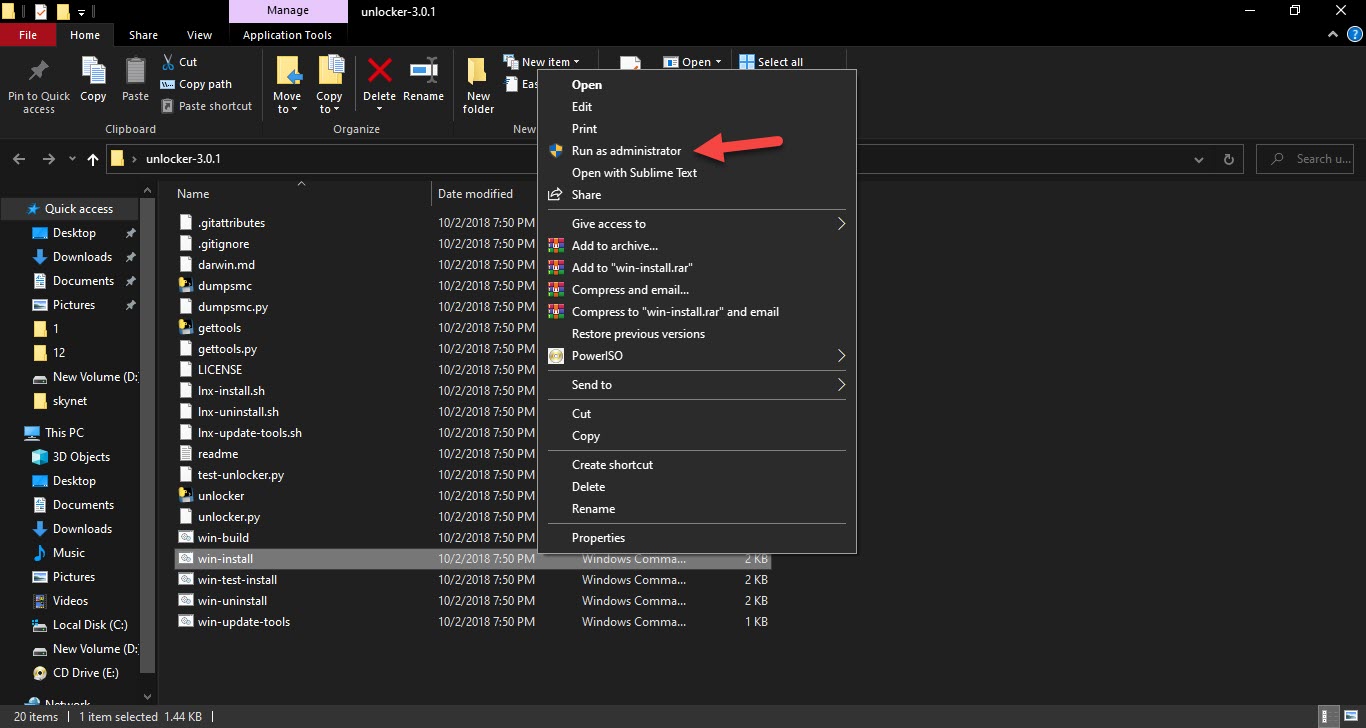 Click on the Run As Administrator
 Step 4. Once you click on the run as administrator then the command prompt will open automatically. Then you need to wait for a minute to copy the essential files.
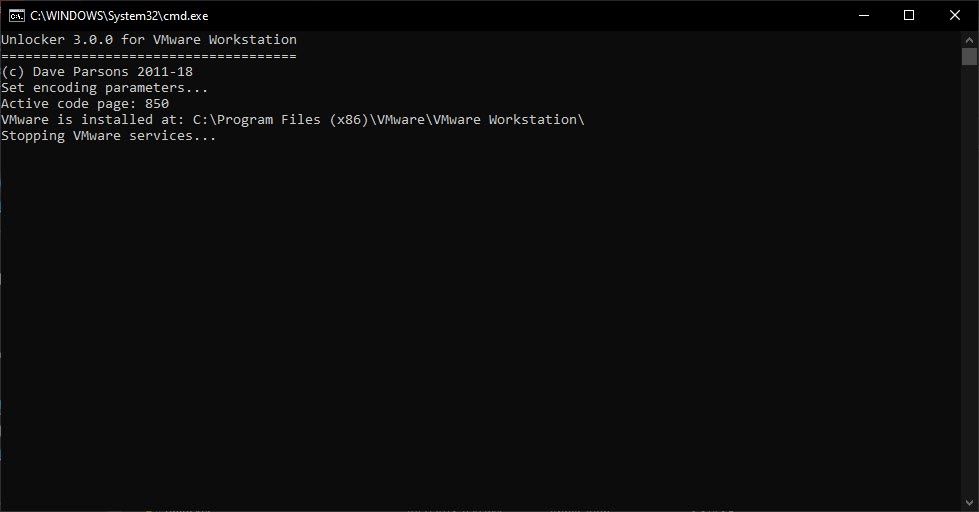 Wait For a Minute
 Step 5. When the process is done then the command prompt will close automatically.
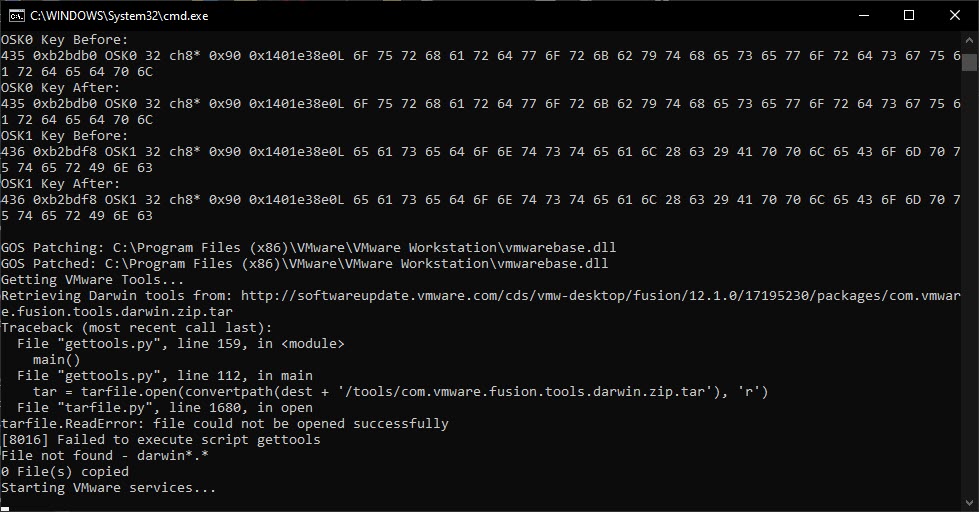
Create a New Virtual Machine
Step 1. At first, tap on the Create a New Virtual Machine.
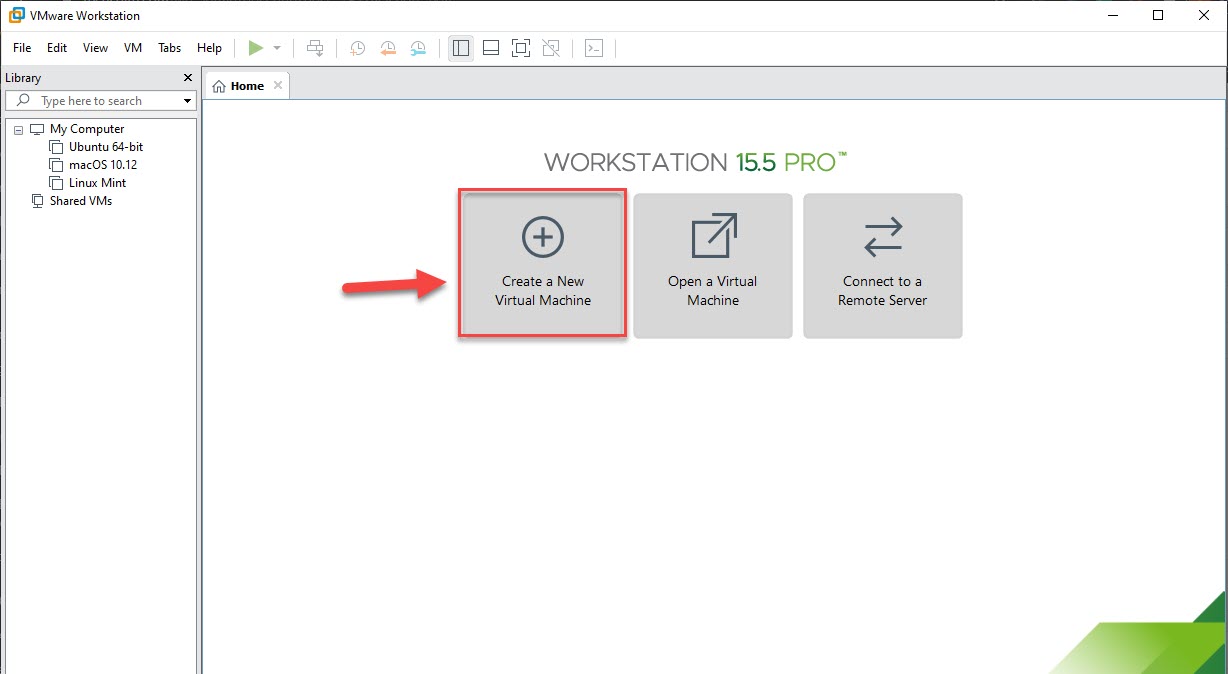 Click on the Create a New Virtual Machine
 Step 2. Here you need to select the Typical then click on the Next.
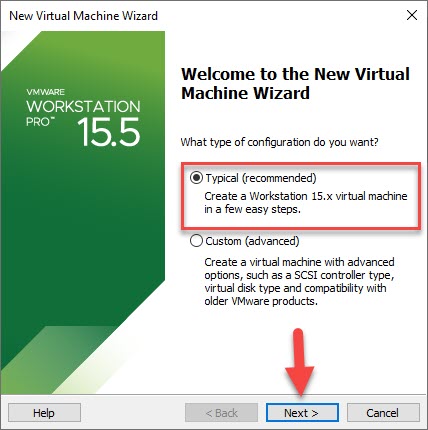 Click on the Next
 Step 3. Check the I Will Install The Operating System Later then hit the Next Button.
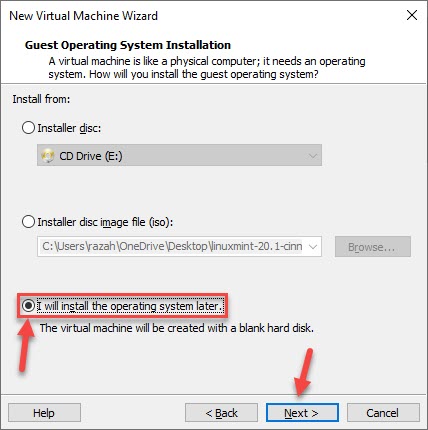 Hit the Next Button
 Step 4. Select the operating system and version according to your choice after that click on Next to install the operating system.
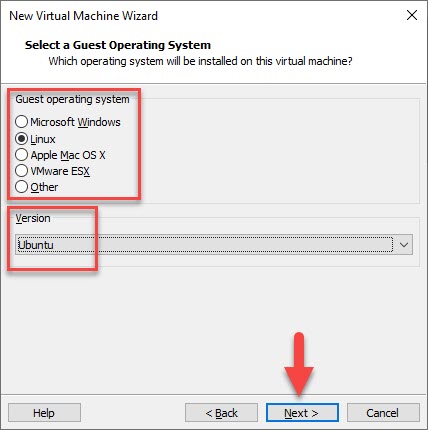 Click on the Next
 Related Posts:
How to Transfer Messages from iPhone to Mobile Phone 2021
How to Transfer Data Android to Android Super Fast 2021
Bottom Line
It was all about Download macOS Unlocker For VMware (All Versions). If you want to download a macOS unlocker for VMware then this article is a must for you. I hope after reading this article you will get something. If you are facing any kind of problem then don’t hesitate to leave comments in the comment section down below.
Share This Article
In this guide, I will show you How to Download macOS Unlocker For VMware Workstation. You might hear about the VMware Workstation that what is the task of this. Basically, it is open-source virtualization software that will help users to install different kinds of the operating system. If you don’t want to destroy your actual operating system by installing another operating system like Linux or Ubuntu then a Virtual Machine will be the best choice for you. Most of the programmer is using VMware for installing Kali Linux and continue their hacking or coding.
But if you want to install VMware Workstation for the first time then you will surely not have the macOS option. It is the option that will allow you to install and experience Mac operating systems like macOS Mojave, macOS Catalina, and the newest macOS Big Sur. But new users get confused why VMware doesn’t have a macOS option. It has only one method in which you can activate macOS on your VMware Workstation.
There is a tool for VMware by the name of macOS Unlocker for VMware. macOS Unlocker is really handy and free tool. By installing that tool you will automatically get the macOS option. Once you get the option then you will be completely ready to install macOS Mojave, Catalina, and macOS Big Sur on VMware Workstation.
macOS Unlocker All Versions
Download macOS Unlocker for VMware
Step 1. At first, it must close the window VMware Workstation. It is not run in the background of your windows.
Step 2. When the unlocker is download is done then make sure to save it in the right place. Once it saves then Right-Click on the unlocker then tap on the Extract Here.
Tap on the Extract Here Step 3. Once you click on the extract here then you will get a folder then open the folder after that Right-Click on the Win-Install then click on the Run As Administrator.
Click on the Run As Administrator Step 4. Once you click on the run as administrator then the command prompt will open automatically. Then you need to wait for a minute to copy the essential files.
Wait For a Minute Step 5. When the process is done then the command prompt will close automatically.
Create a New Virtual Machine
Step 1. At first, tap on the Create a New Virtual Machine.
Click on the Create a New Virtual Machine Step 2. Here you need to select the Typical then click on the Next.
Click on the Next Step 3. Check the I Will Install The Operating System Later then hit the Next Button.
Hit the Next Button Step 4. Select the operating system and version according to your choice after that click on Next to install the operating system.
Click on the Next Related Posts:
How to Transfer Messages from iPhone to Mobile Phone 2021
How to Transfer Data Android to Android Super Fast 2021
Bottom Line
It was all about Download macOS Unlocker For VMware (All Versions). If you want to download a macOS unlocker for VMware then this article is a must for you. I hope after reading this article you will get something. If you are facing any kind of problem then don’t hesitate to leave comments in the comment section down below.


