

How to Download Xcode 11 without Developer Account
 Azaz Shaikh
In this article, I am going to guide you on How to Download Xcode 11 without Developer Account. Xcode is one of the most famous applications, especially used for iOS, IpadOS, WatchOS, and macOS app development. This year’s update is Xcode 11 and you need the Developer Account access to download it. Well, here is your way to get access to Xcode 11 for free. However, Xcode is a development application and it is used for developing apps for Apple company. You need to use Xcode for developing apps for apple platforms. Apart from that, there are many other reasons for downloading Xcode. It can be to install a self-developed app or project on your iPhone. The latest version of Xcode is Xcode 11, it is the same as another operating system, Xcode 11 has many amazing features every year.
In order to access Xcode 11, you need to be registered under the Apple Developer Program. Which requires an annual fee of os US$ 99. It is a worthy subscription in case you’re a developer or an app tester. Therefore, we are going to do just for fun no need to waste money. But there is a way to install Xcode 11 without having access to the developer account.
 How to Download Xcode 11 without Developer Account
 How to Download Xcode 11 without Developer Account
As I promised that without a developer account you can easily download it. For that, you need to go through the step and every step below in order to successfully download the Xcode 11.
Related:
Step 1. First of all, you have to visit Apple’s Developer Portal.
Step 2. When the screen of the app developer appears, then you have to click on the Account present at the upper-right corner.
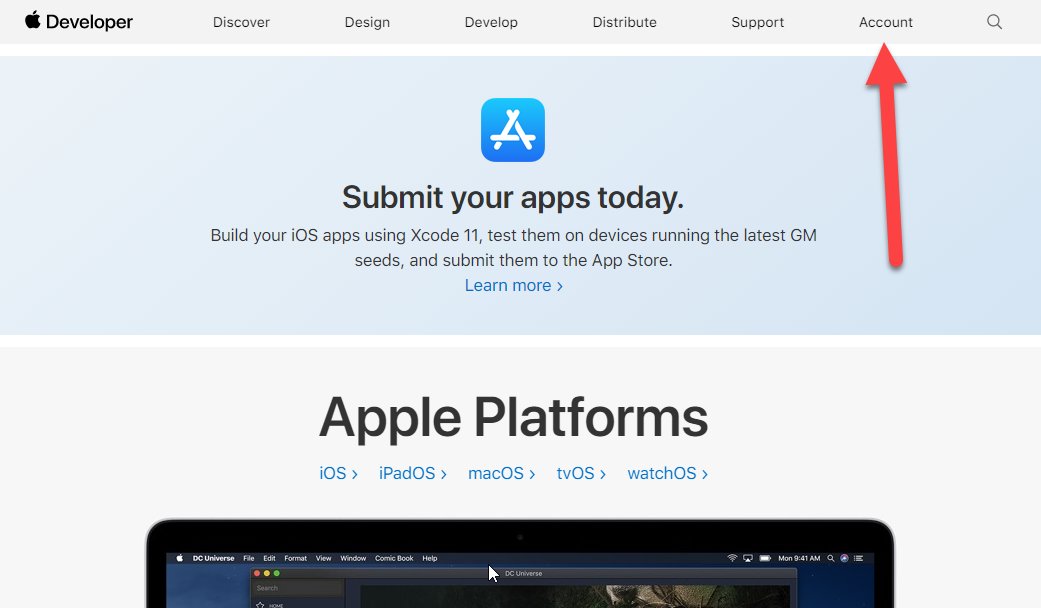 Click on the Account
 Step 3. After that, you will be asked to enter your Apple ID with its password in order to install Xcode 11.
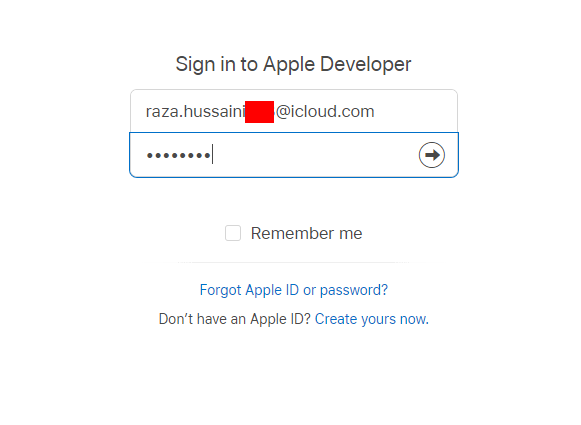 Click on the Account
 Then be agree with the license and agreement.
Step 4. In this step, on the Getting started page, you need to click on the Download Tools.
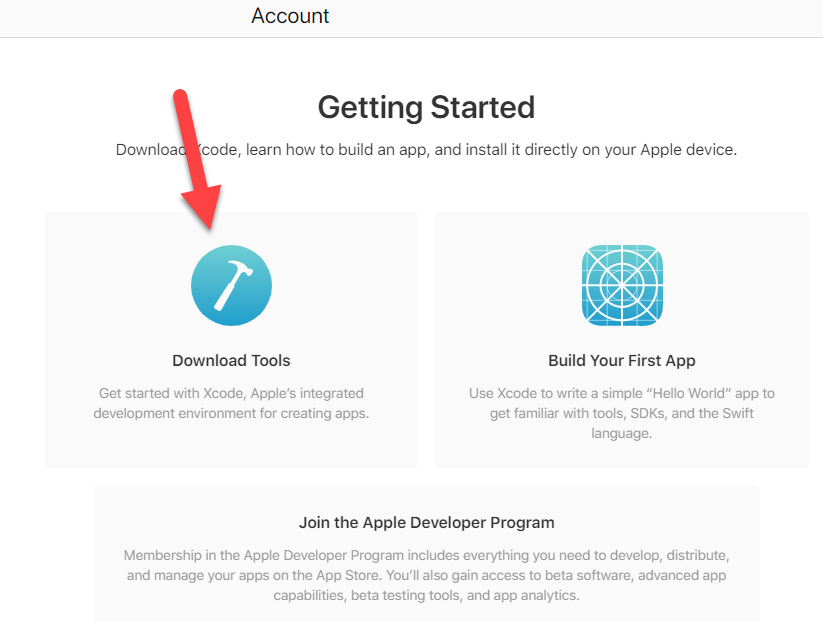 Download Tools
 Step 5. So, now it is time to install the Xcode 11. For that, you need to click on the Download.
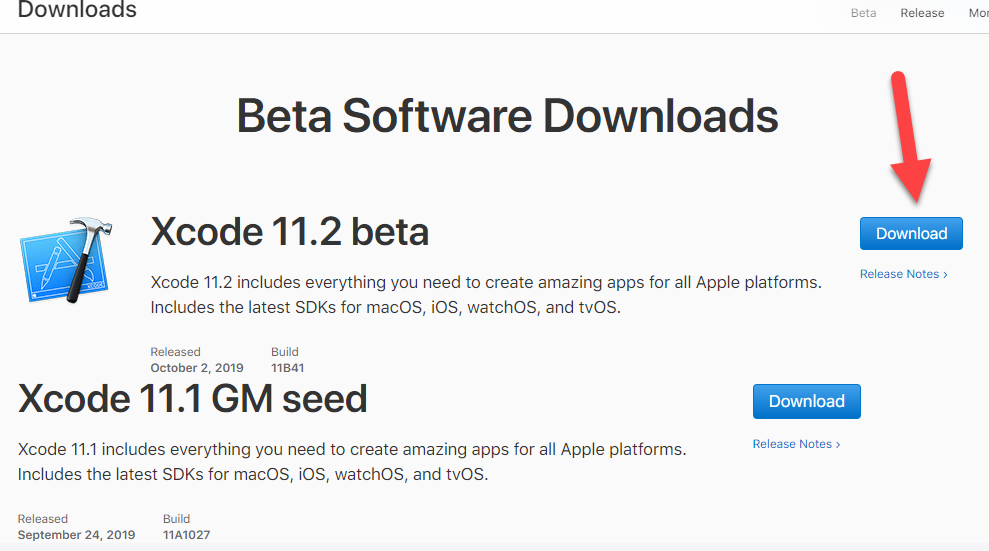 Download Xcode 11.2 Beta
 Step 6. Then, after the downloading process, you need to go the folder and extract Xcode 11 Beta from the XIP compressed Format.
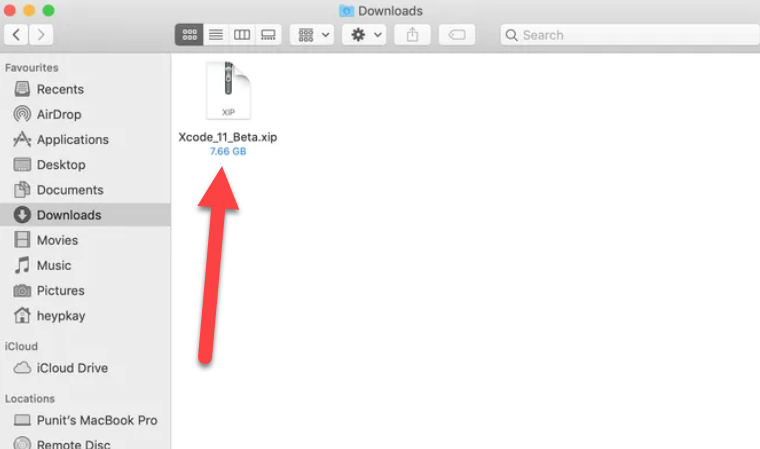 Extract the Xcode 11 Beta
 End:
That’s all about How to Download Xcode 11 without a Developer Account. I hope that you have noticed that you have downloaded the Xcode 11 Beta without any developed account. So, if you face any sort of problem or having question then feel to comment below. Don’t forget to comment your feedback and suggestion.
Share This Article
In this article, I am going to guide you on How to Download Xcode 11 without Developer Account. Xcode is one of the most famous applications, especially used for iOS, IpadOS, WatchOS, and macOS app development. This year’s update is Xcode 11 and you need the Developer Account access to download it. Well, here is your way to get access to Xcode 11 for free. However, Xcode is a development application and it is used for developing apps for Apple company. You need to use Xcode for developing apps for apple platforms. Apart from that, there are many other reasons for downloading Xcode. It can be to install a self-developed app or project on your iPhone. The latest version of Xcode is Xcode 11, it is the same as another operating system, Xcode 11 has many amazing features every year.
In order to access Xcode 11, you need to be registered under the Apple Developer Program. Which requires an annual fee of os US$ 99. It is a worthy subscription in case you’re a developer or an app tester. Therefore, we are going to do just for fun no need to waste money. But there is a way to install Xcode 11 without having access to the developer account.
How to Download Xcode 11 without Developer Account How to Download Xcode 11 without Developer Account
As I promised that without a developer account you can easily download it. For that, you need to go through the step and every step below in order to successfully download the Xcode 11.
Related:
Step 1. First of all, you have to visit Apple’s Developer Portal.
Step 2. When the screen of the app developer appears, then you have to click on the Account present at the upper-right corner.
Click on the Account Step 3. After that, you will be asked to enter your Apple ID with its password in order to install Xcode 11.
Click on the Account Then be agree with the license and agreement.
Step 4. In this step, on the Getting started page, you need to click on the Download Tools.
Download Tools Step 5. So, now it is time to install the Xcode 11. For that, you need to click on the Download.
Download Xcode 11.2 Beta Step 6. Then, after the downloading process, you need to go the folder and extract Xcode 11 Beta from the XIP compressed Format.
Extract the Xcode 11 Beta End:
That’s all about How to Download Xcode 11 without a Developer Account. I hope that you have noticed that you have downloaded the Xcode 11 Beta without any developed account. So, if you face any sort of problem or having question then feel to comment below. Don’t forget to comment your feedback and suggestion.


