

How to Check if Someone is Logged in your Facebook in 2020
 Azaz Shaikh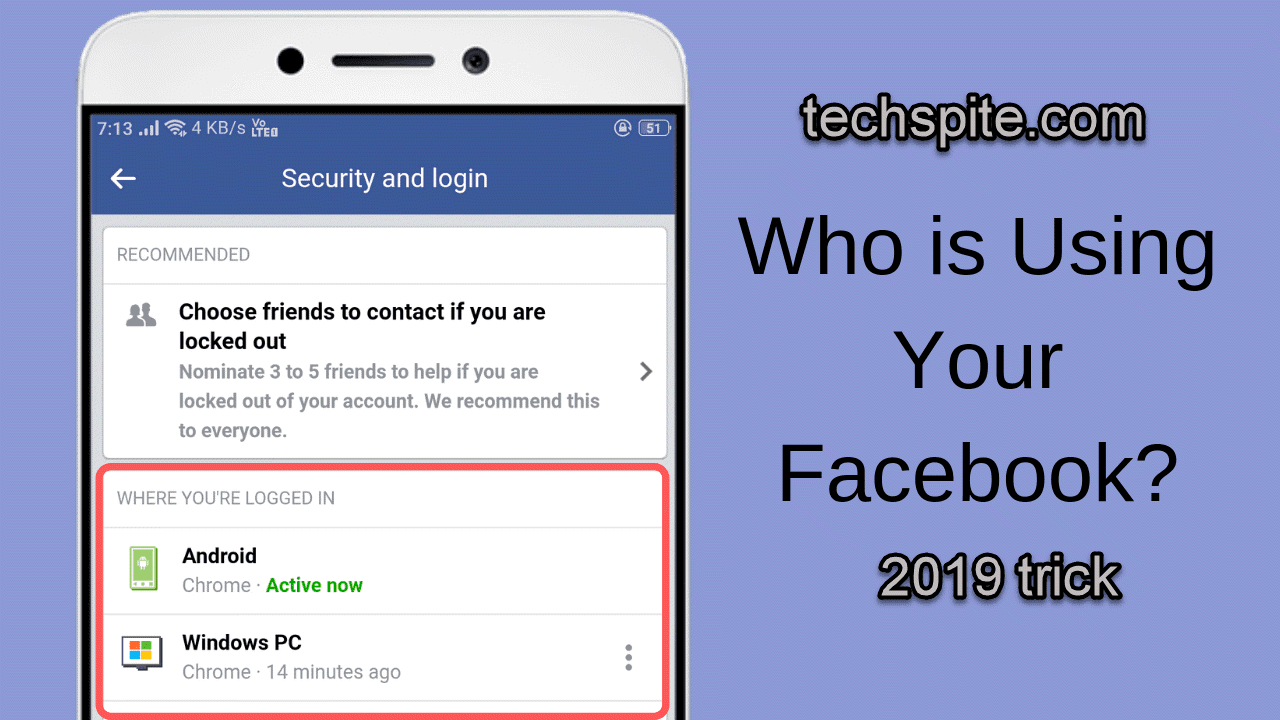
Do you want to know if someone is logged in your Facebook and seeing your secret things if yes then this article is very important to read and get know about How to Check if Someone is Logged in your Facebook in 2020?. Might be you have noticed some weird things are going on your Facebook account or it can be that you have logged your Facebook account someone else device then you are not sure if logged out or not but don’t the same we are going to discuss. In Facebook privacy, you can easily check and even you get the location of that person who is logged in. you can log out that from your Facebook without changing the password or email etc. And you can also check the timing of the person that when he/she was using your Facebook account.
Therefore, in this article, you will get step by step that How to Check if Someone is Logged in your Facebook in 2019. I am pretty sure that it will be very easy for you to check and log out that person from your Facebook account without any tension. But you have to obey each step and guide which are below for you.
Related:
How to Check if Someone is Logged in your Facebook in 2020
Step 1. In the first step, you need to log in to your Facebook account.
 log in your Facebook
 Step 2. Then, click on the arrow down which is beside your Facebook name and click on the Setting option.
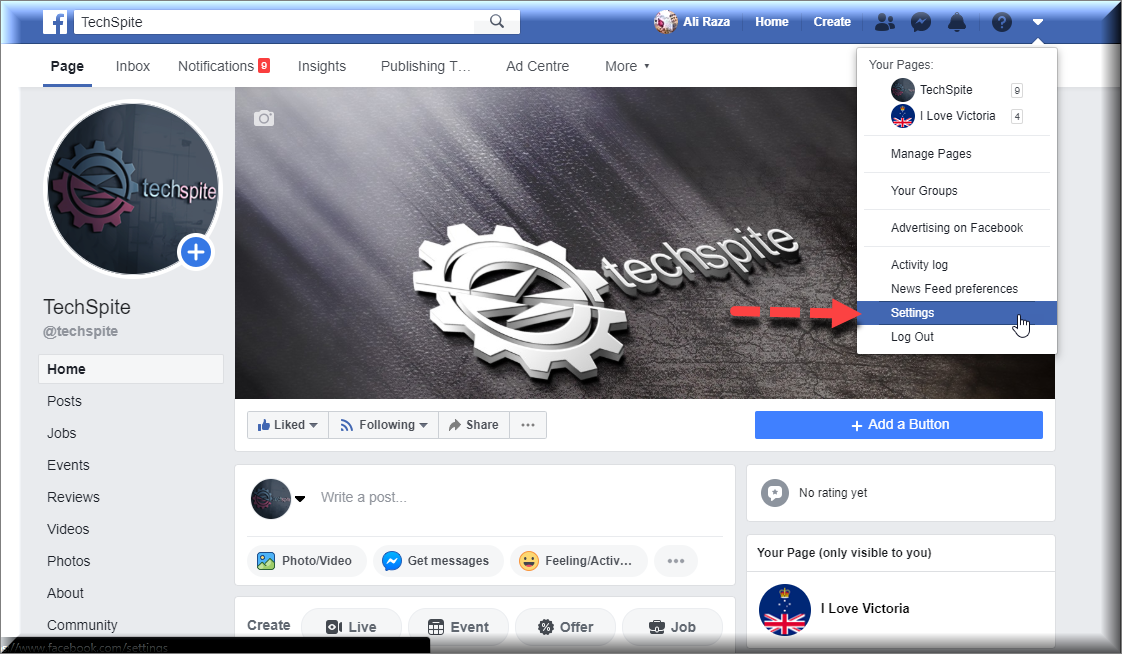 Click on setting
 Step 3. It will take you to the general setting, under genera option click on the Security and Login.
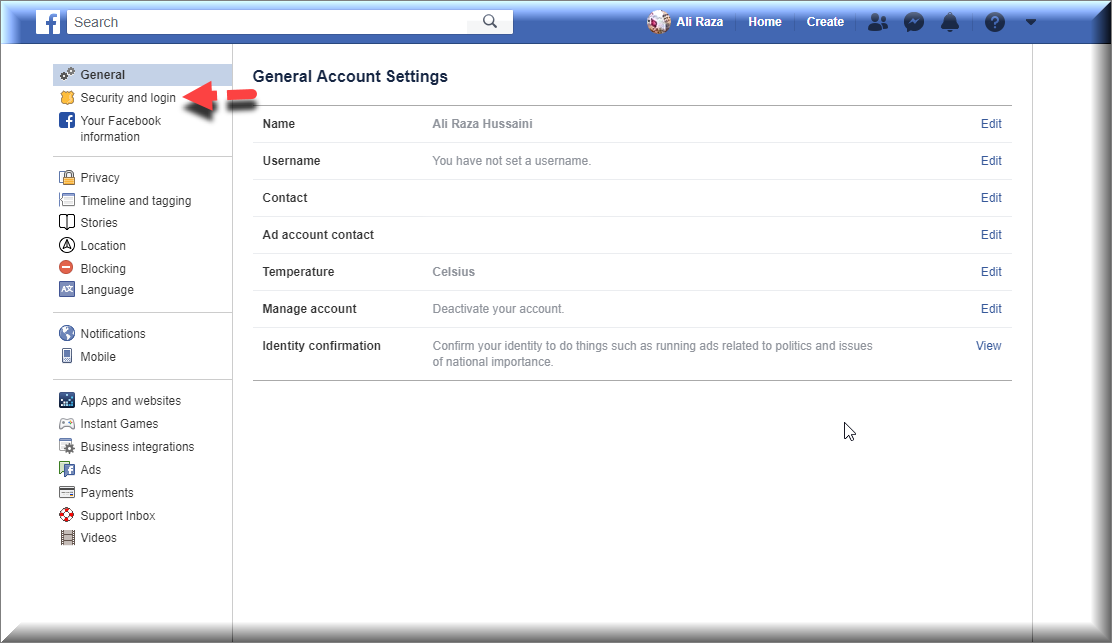 Security and login
 From this option, you can check all the information related to security and login. So, now you can check in b screenshots that were logged in in Iphone7. And also check the location so if you want to check more details by clicking on the arrow down button. Therefore, if you want to log out that unknown person who is logged in for click on the arrow then click on log out and you need to change the password because next time he shouldn’t log in again. When you log out that person then you may change the password for safety.
Conclusion:
It was just a simple way about How to Check if Someone is Logged in your Facebook in 2020. I hope so, it was great for you. And after this, you are able to check is an unknown person is logged in your Facebook. If you face any difficulties related to this article just comment down in the comment section.
Share This Article
Do you want to know if someone is logged in your Facebook and seeing your secret things if yes then this article is very important to read and get know about How to Check if Someone is Logged in your Facebook in 2020?. Might be you have noticed some weird things are going on your Facebook account or it can be that you have logged your Facebook account someone else device then you are not sure if logged out or not but don’t the same we are going to discuss. In Facebook privacy, you can easily check and even you get the location of that person who is logged in. you can log out that from your Facebook without changing the password or email etc. And you can also check the timing of the person that when he/she was using your Facebook account.
Therefore, in this article, you will get step by step that How to Check if Someone is Logged in your Facebook in 2019. I am pretty sure that it will be very easy for you to check and log out that person from your Facebook account without any tension. But you have to obey each step and guide which are below for you.
Related:
How to Check if Someone is Logged in your Facebook in 2020
Step 1. In the first step, you need to log in to your Facebook account.
log in your Facebook Step 2. Then, click on the arrow down which is beside your Facebook name and click on the Setting option.
Click on setting Step 3. It will take you to the general setting, under genera option click on the Security and Login.
Security and login From this option, you can check all the information related to security and login. So, now you can check in b screenshots that were logged in in Iphone7. And also check the location so if you want to check more details by clicking on the arrow down button. Therefore, if you want to log out that unknown person who is logged in for click on the arrow then click on log out and you need to change the password because next time he shouldn’t log in again. When you log out that person then you may change the password for safety.
Conclusion:
It was just a simple way about How to Check if Someone is Logged in your Facebook in 2020. I hope so, it was great for you. And after this, you are able to check is an unknown person is logged in your Facebook. If you face any difficulties related to this article just comment down in the comment section.


