

How to Reset Kali Linux Root Password 2022?
 Azaz Shaikh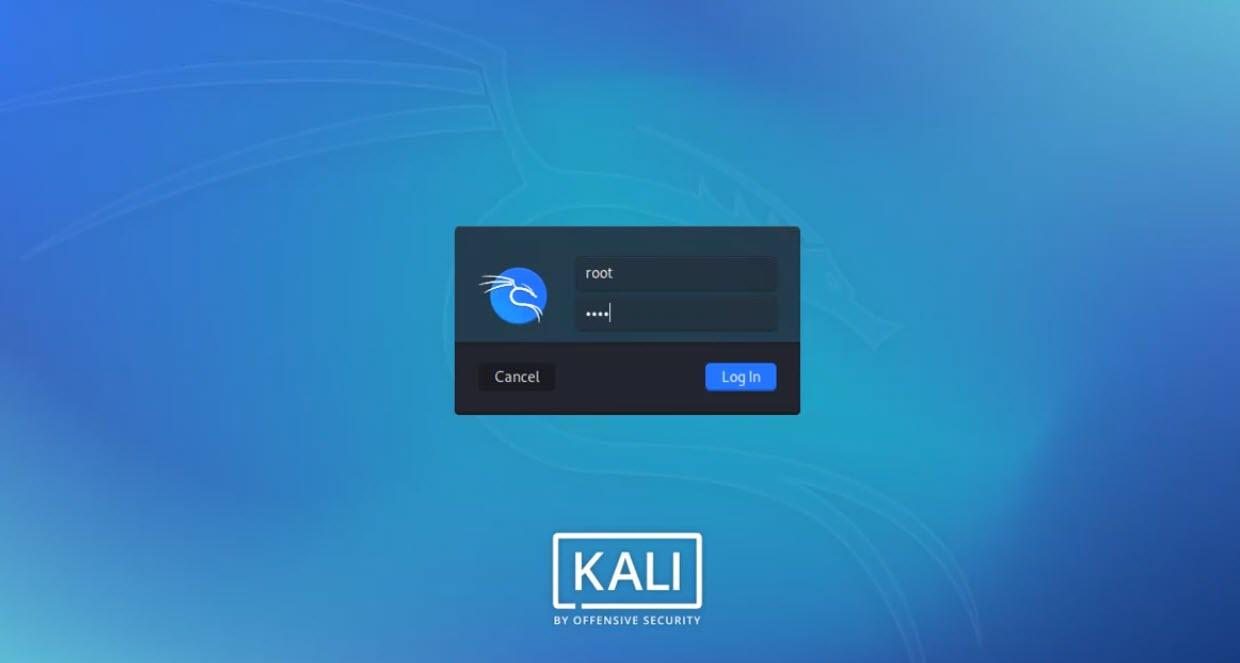
Kali Linux is the most powerful operating system among all operating systems. The 2020 version of Kali Linux is just amazing and with many handy features. Kali Linux has the most advanced security and it can’t be hacked easily. Ethical Hackers are using Kali Linux because it is the only operating system in which you can hack anything you want but it is very difficult. However, hacking is not the task of anyone, only professional hackers use it to make their work easier. I will guide you How to Reset Kali Linux Root Password 2022.
Kali Linux is a Debian-derived Linux distribution. It is especially for digital forensics and penetration. If you are in the field of Hacking or Security then Kali Linux is the best option for you. It is maintained and funded by Offensive Security. If you want to use the most secure operating system then kali Linux is highly recommended. Kali Linux is a great operating system for better security. Sometimes the Cybersecurity users use Kali Linux for better penetration.
Some of the Kali Linux administrators may forget their passwords. Actually, for every user forgetting the root password is really embarrassing. Resetting the Kali Linux root password is not a difficult task but it needs some struggle to do it. Therefore, the main thing is here that I will surely show you how to reset the Kali Linux root password with some easy steps.
How to Reset Kali Linux Root Password?
You have to clear your mind that it doesn’t need any third-party software because it can be done using the Boot mode. However, you have to follow each step down below so that you should reset the Kali Linux root password.
First of all, you have to Power on the Kali Linux until you get the GNU Grub window. There you will see two different options. Therefore, use the down arrow key to select Advanced options for Kali GNU/Linux.
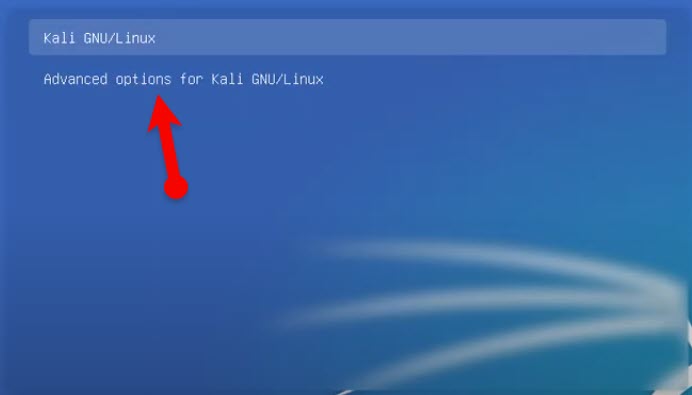 Advanced options for Kali Linux
 Press E from the Keyboard, it will take you to the Advanced option of Kali Linux.
Next up, you have to find out the Linux line and at the of that type the below commands.
rw initrd=/install/gtk/initrd.gz quiet splash init=/bin/bash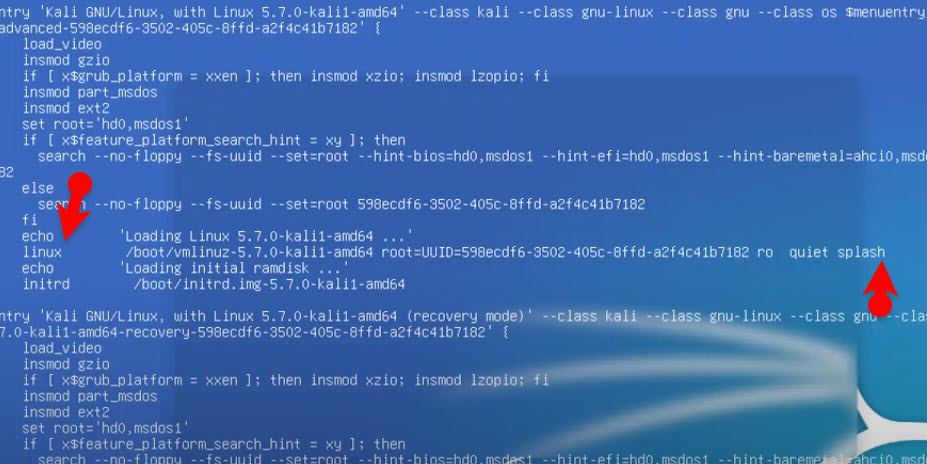 Type the command at the end
 When you type the command at the end, hold the F10 key or hold together the command + x. Both of them will start Kali Linux.
Once it is started, you will have a black screen. There you have to type the below command in order to reset the Kali Linux root password.
passwd root
Next, you have to type a new password and repeast it again.
To execute the changes, type the exec /sbin/init.
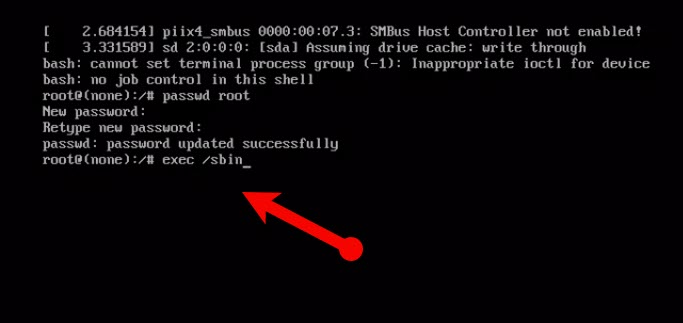 Enter the new password and execute the command
 You will get to the login window. There you have to enter the user name and also the password which you have changed recently.
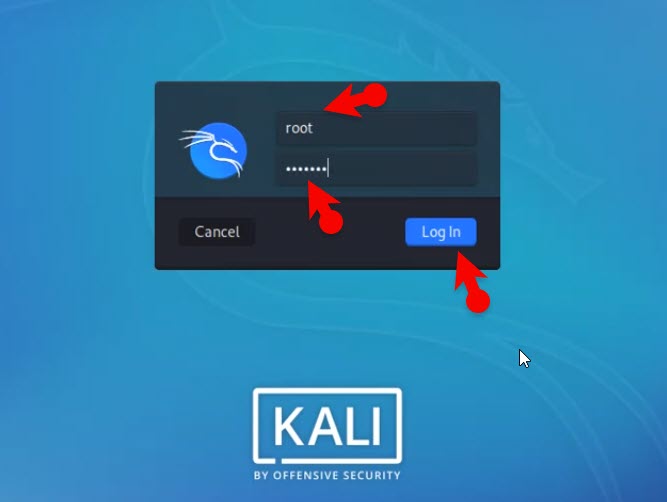 Login with the new password
 Related Guides:
- How To Recover Deleted Files In Linux 2020
- How to Reset Forgotten Password of Ubuntu
- Reset macOS Big Sur Forgotten Password
Bottom Line
I have step by step guide you on How to Reset Kali Linux Root Password 2022?. You have successfully reset the kali Linux password without any restrictions. Whenever you reset the root password then do apply this method because it is the easiest way than all. However, I hope this guide helped you to reset the Kali Linux root password. If you have any problem while resetting then don’t hesitate to leave comments in the comment section down below.
Tagged
Share This Article
Kali Linux is the most powerful operating system among all operating systems. The 2020 version of Kali Linux is just amazing and with many handy features. Kali Linux has the most advanced security and it can’t be hacked easily. Ethical Hackers are using Kali Linux because it is the only operating system in which you can hack anything you want but it is very difficult. However, hacking is not the task of anyone, only professional hackers use it to make their work easier. I will guide you How to Reset Kali Linux Root Password 2022.
Kali Linux is a Debian-derived Linux distribution. It is especially for digital forensics and penetration. If you are in the field of Hacking or Security then Kali Linux is the best option for you. It is maintained and funded by Offensive Security. If you want to use the most secure operating system then kali Linux is highly recommended. Kali Linux is a great operating system for better security. Sometimes the Cybersecurity users use Kali Linux for better penetration.
Some of the Kali Linux administrators may forget their passwords. Actually, for every user forgetting the root password is really embarrassing. Resetting the Kali Linux root password is not a difficult task but it needs some struggle to do it. Therefore, the main thing is here that I will surely show you how to reset the Kali Linux root password with some easy steps.
How to Reset Kali Linux Root Password?
You have to clear your mind that it doesn’t need any third-party software because it can be done using the Boot mode. However, you have to follow each step down below so that you should reset the Kali Linux root password.
First of all, you have to Power on the Kali Linux until you get the GNU Grub window. There you will see two different options. Therefore, use the down arrow key to select Advanced options for Kali GNU/Linux.
Advanced options for Kali Linux Press E from the Keyboard, it will take you to the Advanced option of Kali Linux.
Next up, you have to find out the Linux line and at the of that type the below commands.
rw initrd=/install/gtk/initrd.gz quiet splash init=/bin/bashWhen you type the command at the end, hold the F10 key or hold together the command + x. Both of them will start Kali Linux.
Once it is started, you will have a black screen. There you have to type the below command in order to reset the Kali Linux root password.
passwd root
Next, you have to type a new password and repeast it again.
To execute the changes, type the exec /sbin/init.
Enter the new password and execute the command You will get to the login window. There you have to enter the user name and also the password which you have changed recently.
Login with the new password Related Guides:
- How To Recover Deleted Files In Linux 2020
- How to Reset Forgotten Password of Ubuntu
- Reset macOS Big Sur Forgotten Password
Bottom Line
I have step by step guide you on How to Reset Kali Linux Root Password 2022?. You have successfully reset the kali Linux password without any restrictions. Whenever you reset the root password then do apply this method because it is the easiest way than all. However, I hope this guide helped you to reset the Kali Linux root password. If you have any problem while resetting then don’t hesitate to leave comments in the comment section down below.


