

How to Upload More Than 26 Seconds Videos on Facebook Story
 Azaz Shaikh
Sometimes you want to upload a video longer than 26 seconds on a Facebook story. So, when you search on Youtube for a solution to this then the video you will watch might be not real. When you try to upload then you don’t know the way that you can upload. But don’t worry I will find a way that you can easily upload a longer video than 26 seconds. If you want to upload a longer video than 26 seconds on the Facebook story then you need to read this article. So, without wasting any time let’s get has started. From this article, you will learn How to Upload a longer Video Than 26 Seconds on the FB Story.
Related Post: How to Remove Activate Windows 10 Watermark Permenately (New Method)
Trim Video to 26 seconds Without Wasting Any Time On Android
To trim your video you need to download Video Splitter – Story Split. This app is very great to trim any video. And this is free for all to use the app and trim your video. Download and install the app on your android.
Step 1. When the app is has installed on your phone then open it on your device.
Step 2. Now, select the video that you want to trim it after that click on the Continue.
 Click on the Continue
 Step 3. Here you need to click on the Edit.
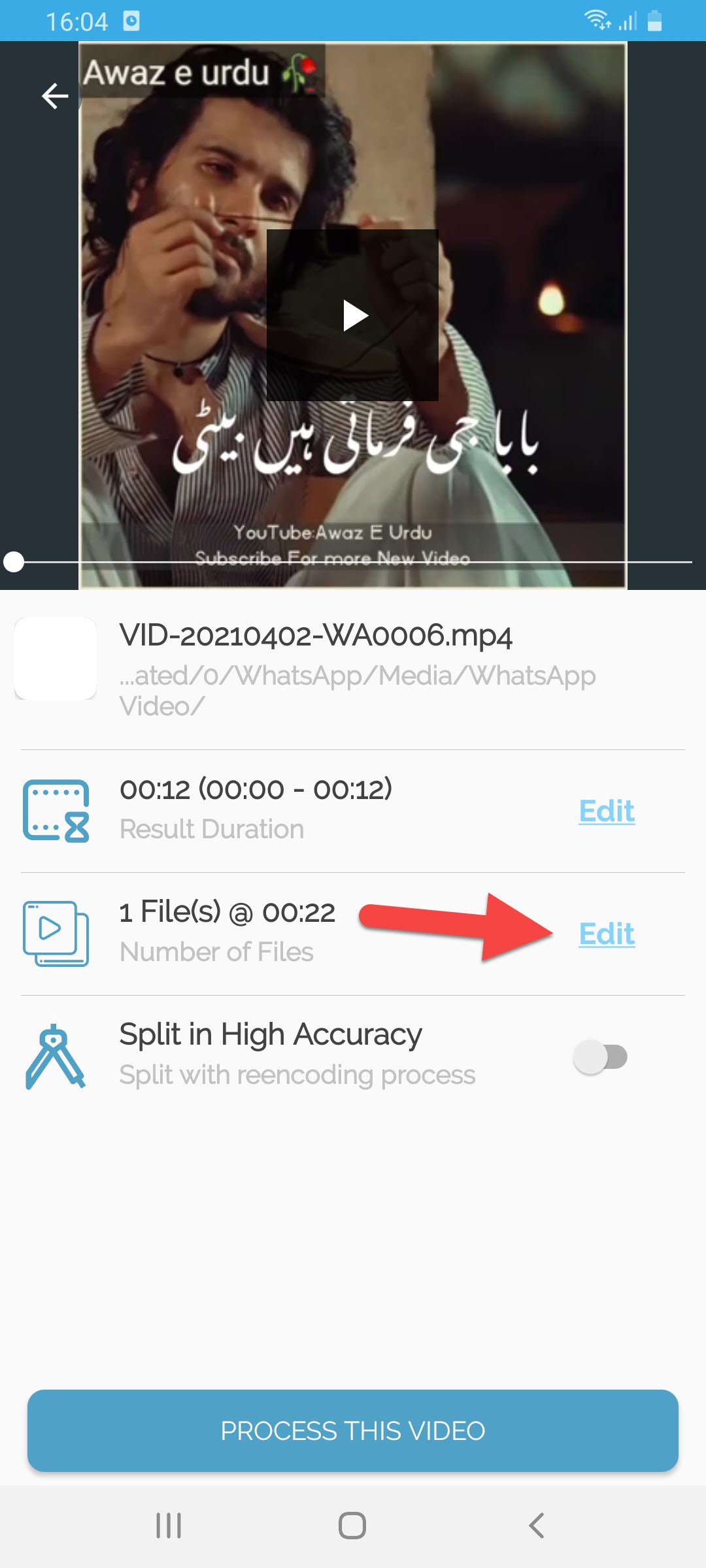 Click on the Edit
 Step 4. Next, set the duration per part at 22 then click on the Set.
 Click on the Set
 Step 5. Once you click on the set then tap on the Process this Video at the bottom of your screen.
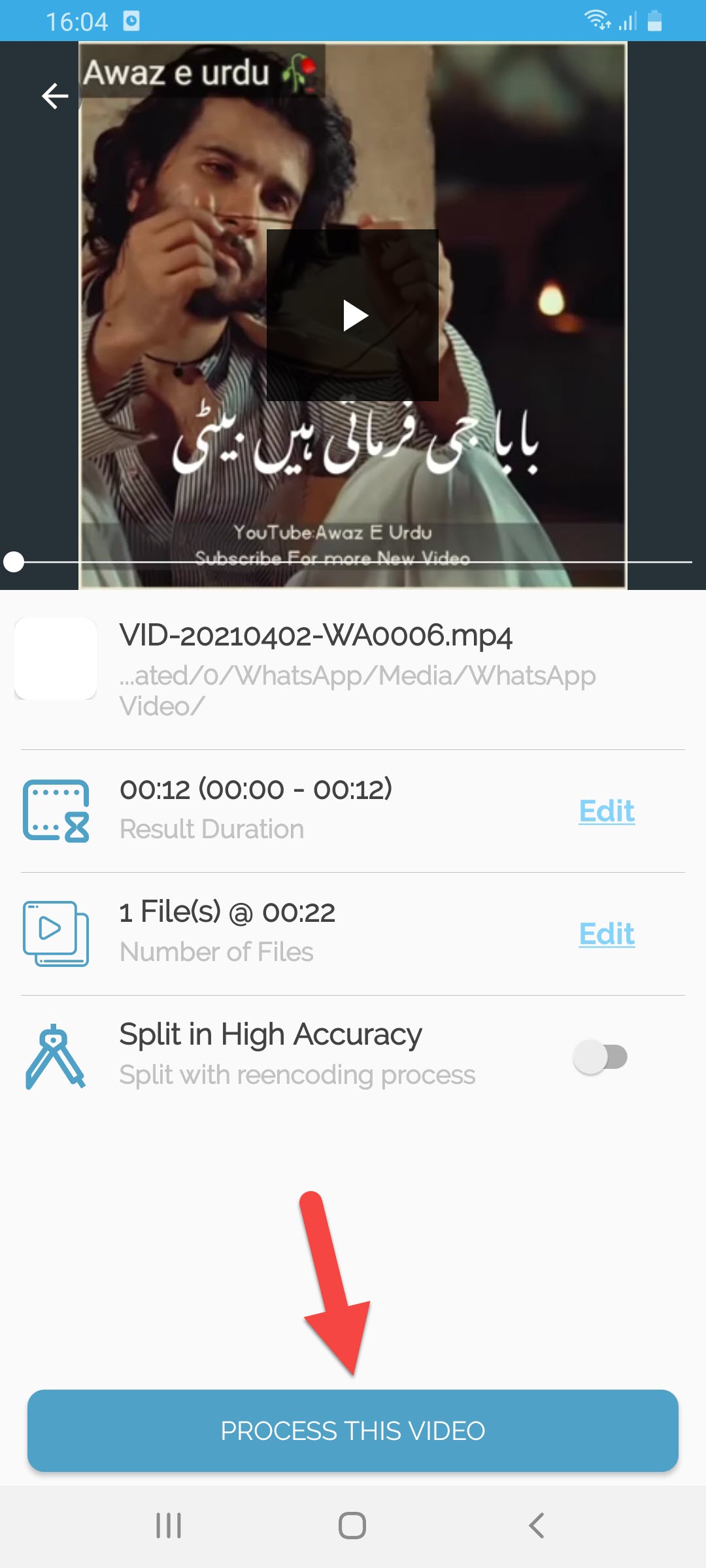 Click on the Process This Video
 How to Upload Full-Length Video on Facebook Story
Here is step by step on upload full-length video on a Facebook story down below:
Step 1. At first, open the Messanger on your device then open any chat of your friend.
Step 2. Click on the Gallery icon.
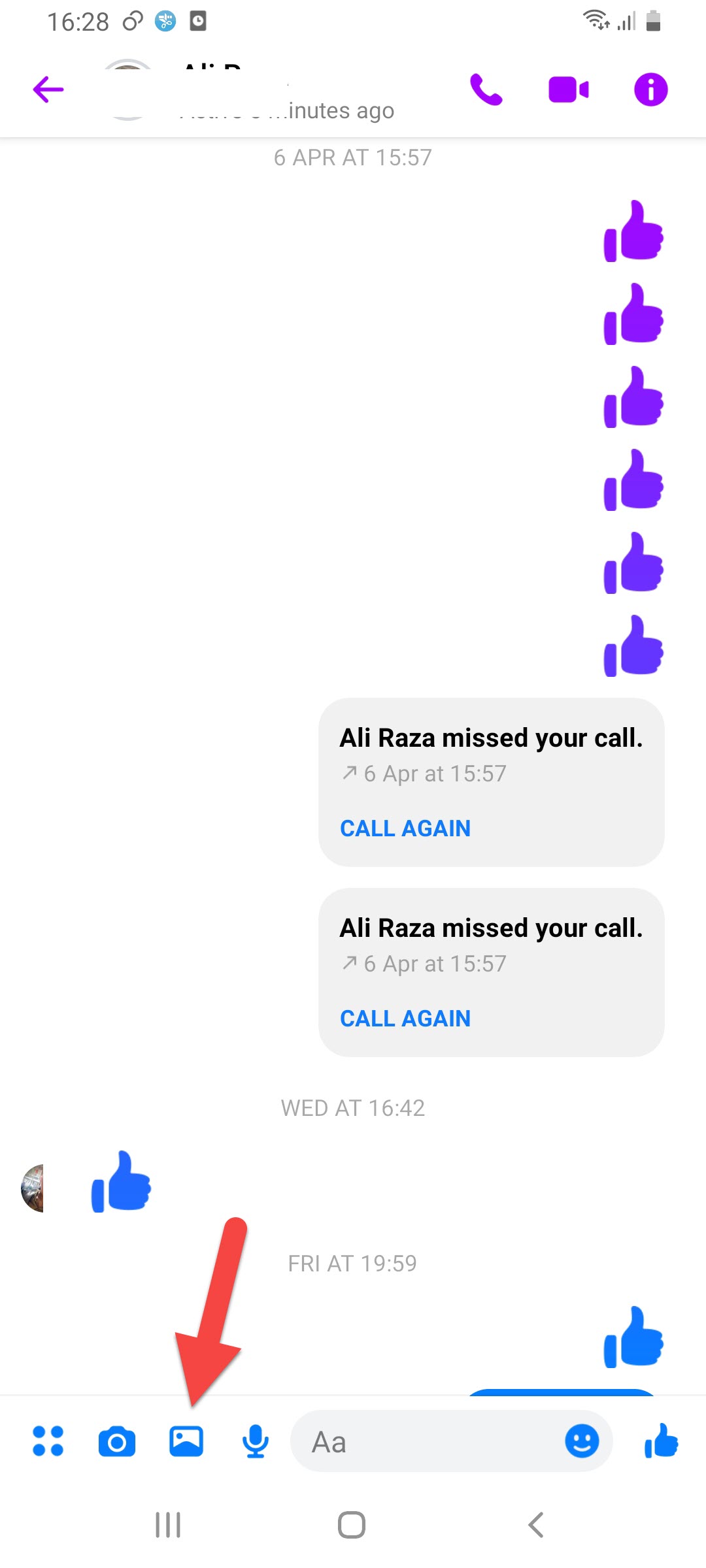 Click on the Gallery icon
 Step 3. Then select the video that you trim it after that click on the Edit.
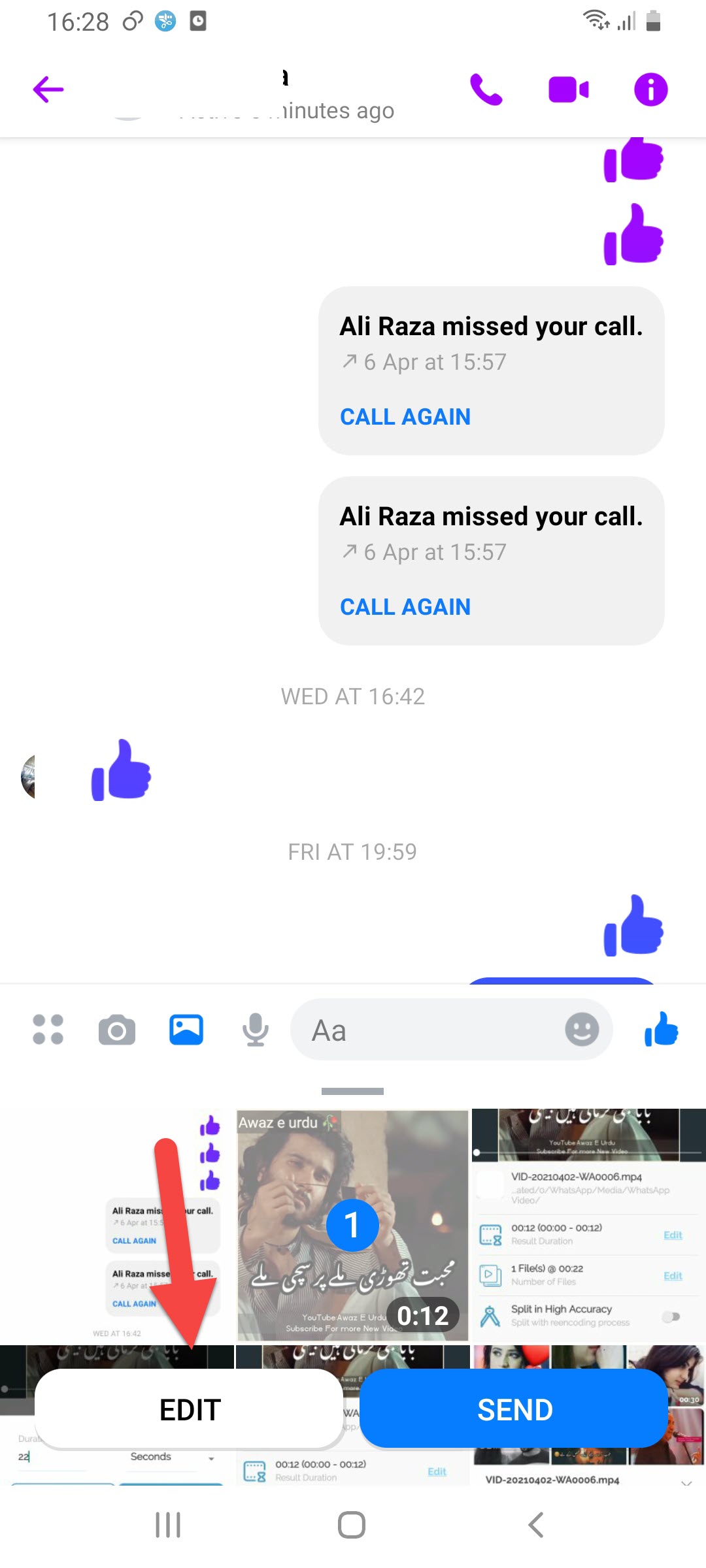 Click on the Edit
 Step 4. However, click on the Your Story.
 Click on the Your Story
 Step 5. At last, tap on the Add.
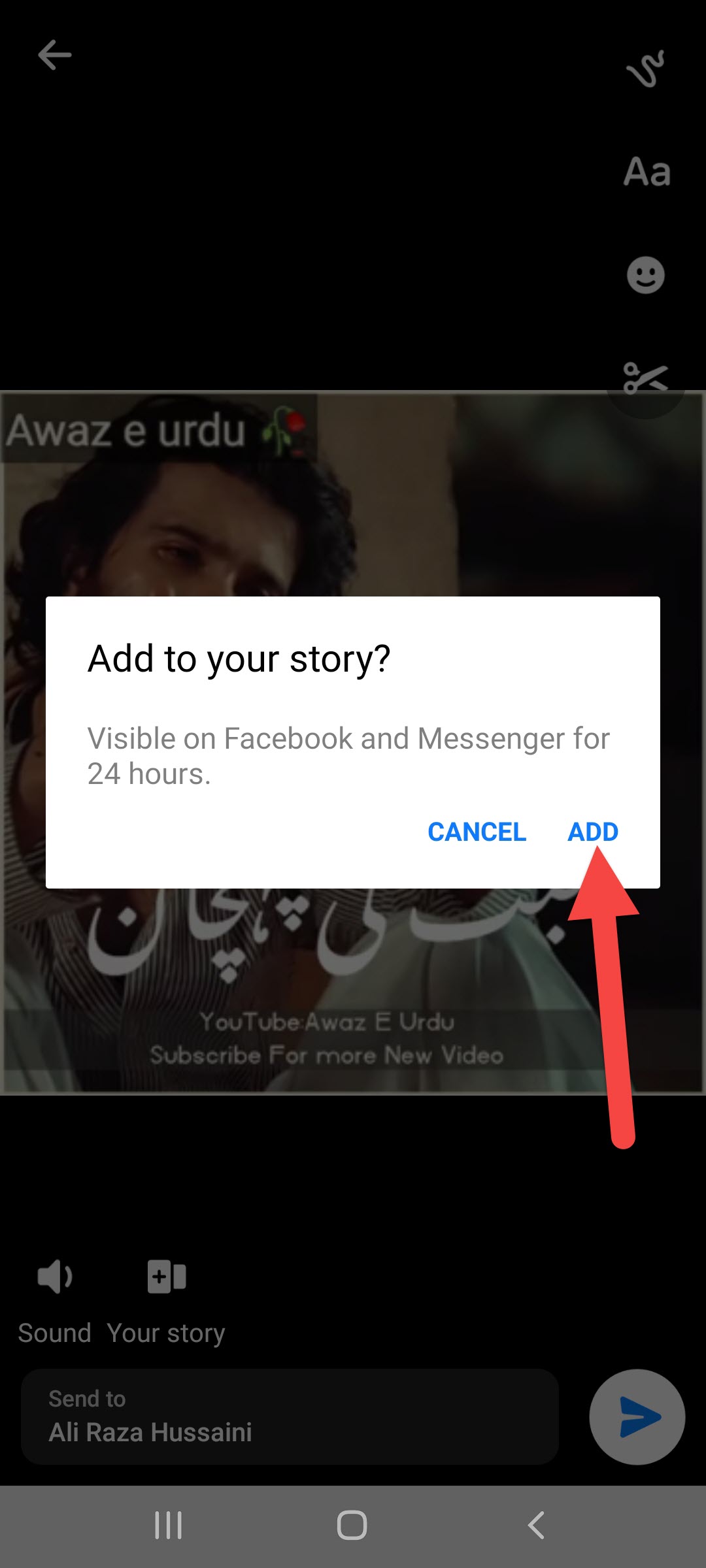 Tap on the Add
 Now, the video will add to your story with some easy steps.
Related Post: How to Add Sticky Ads on WordPress Sites to Boost Revenue
Bottom Line
It was all about How to Upload a longer Video Than 26 Seconds on the FB Story. I hope this article is very helpful for you to upload a longer video than 26 seconds. From this article, you will get something good. After reading these steps I hope you will not face any kind of problem. However, if you faced any kind of problem don’t hesitate to leave comments down below.
Related Post: Best Duplicate Photo Finders and Cleaners in 2021
Tagged
Share This Article
Sometimes you want to upload a video longer than 26 seconds on a Facebook story. So, when you search on Youtube for a solution to this then the video you will watch might be not real. When you try to upload then you don’t know the way that you can upload. But don’t worry I will find a way that you can easily upload a longer video than 26 seconds. If you want to upload a longer video than 26 seconds on the Facebook story then you need to read this article. So, without wasting any time let’s get has started. From this article, you will learn How to Upload a longer Video Than 26 Seconds on the FB Story.
Related Post: How to Remove Activate Windows 10 Watermark Permenately (New Method)
Trim Video to 26 seconds Without Wasting Any Time On Android
To trim your video you need to download Video Splitter – Story Split. This app is very great to trim any video. And this is free for all to use the app and trim your video. Download and install the app on your android.
Step 1. When the app is has installed on your phone then open it on your device.
Step 2. Now, select the video that you want to trim it after that click on the Continue.
Click on the Continue Step 3. Here you need to click on the Edit.
Click on the Edit Step 4. Next, set the duration per part at 22 then click on the Set.
Click on the Set Step 5. Once you click on the set then tap on the Process this Video at the bottom of your screen.
Click on the Process This Video How to Upload Full-Length Video on Facebook Story
Here is step by step on upload full-length video on a Facebook story down below:
Step 1. At first, open the Messanger on your device then open any chat of your friend.
Step 2. Click on the Gallery icon.
Click on the Gallery icon Step 3. Then select the video that you trim it after that click on the Edit.
Click on the Edit Step 4. However, click on the Your Story.
Click on the Your Story Step 5. At last, tap on the Add.
Tap on the Add Now, the video will add to your story with some easy steps.
Related Post: How to Add Sticky Ads on WordPress Sites to Boost Revenue
Bottom Line
It was all about How to Upload a longer Video Than 26 Seconds on the FB Story. I hope this article is very helpful for you to upload a longer video than 26 seconds. From this article, you will get something good. After reading these steps I hope you will not face any kind of problem. However, if you faced any kind of problem don’t hesitate to leave comments down below.
Related Post: Best Duplicate Photo Finders and Cleaners in 2021


