

How to Roll Back From iOS 15 to 14 Without Losing Data
 Azaz Shaikh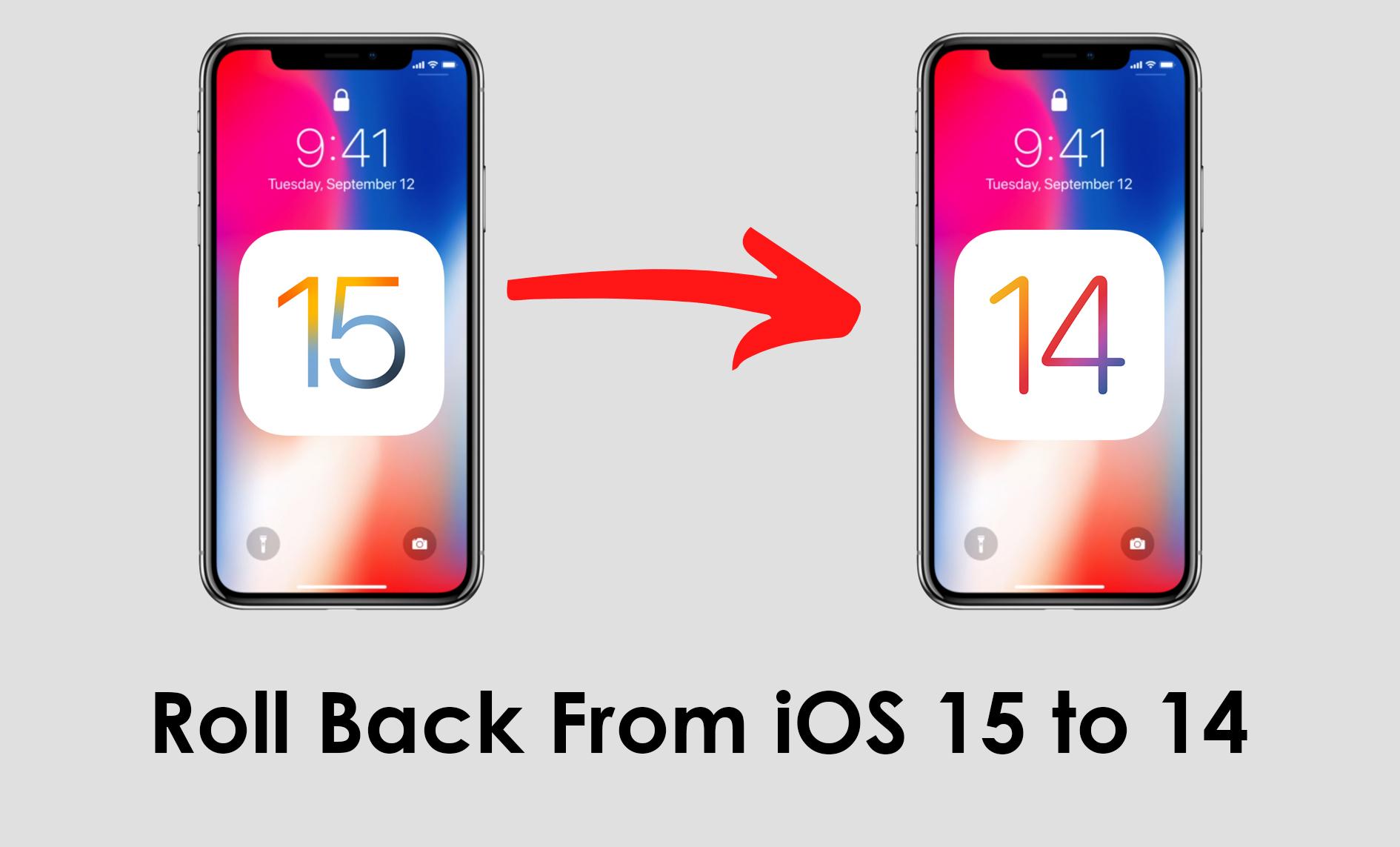
There are many people that are not appropriate with the iOS 15. They always face problems when they have downloaded iOS 15. People were thinking that the new version of iOS has much performance, but isn’t like that your think it doesn’t have plenty of performance. However, the new feature that has been added to the iOS 15 is not working well even though sometimes it stops working. If you get frustrated from all the issues with the new version then you want to roll back to iOS 14. If you want to roll back from iOS 15 to 14 then you need to read this article. From this article, I’ll guide you on How to Roll Back From iOS 15 to 14 Without Losing Data. So, without wasting any time let’s get started.
How to Roll Back From iOS 15 to 14 Without Losing Data
Step 1. First of all, you have to go to the website of ipsw.me.
Step 2. When the website is loaded then select iPhone after that find the model of your device then click on it.
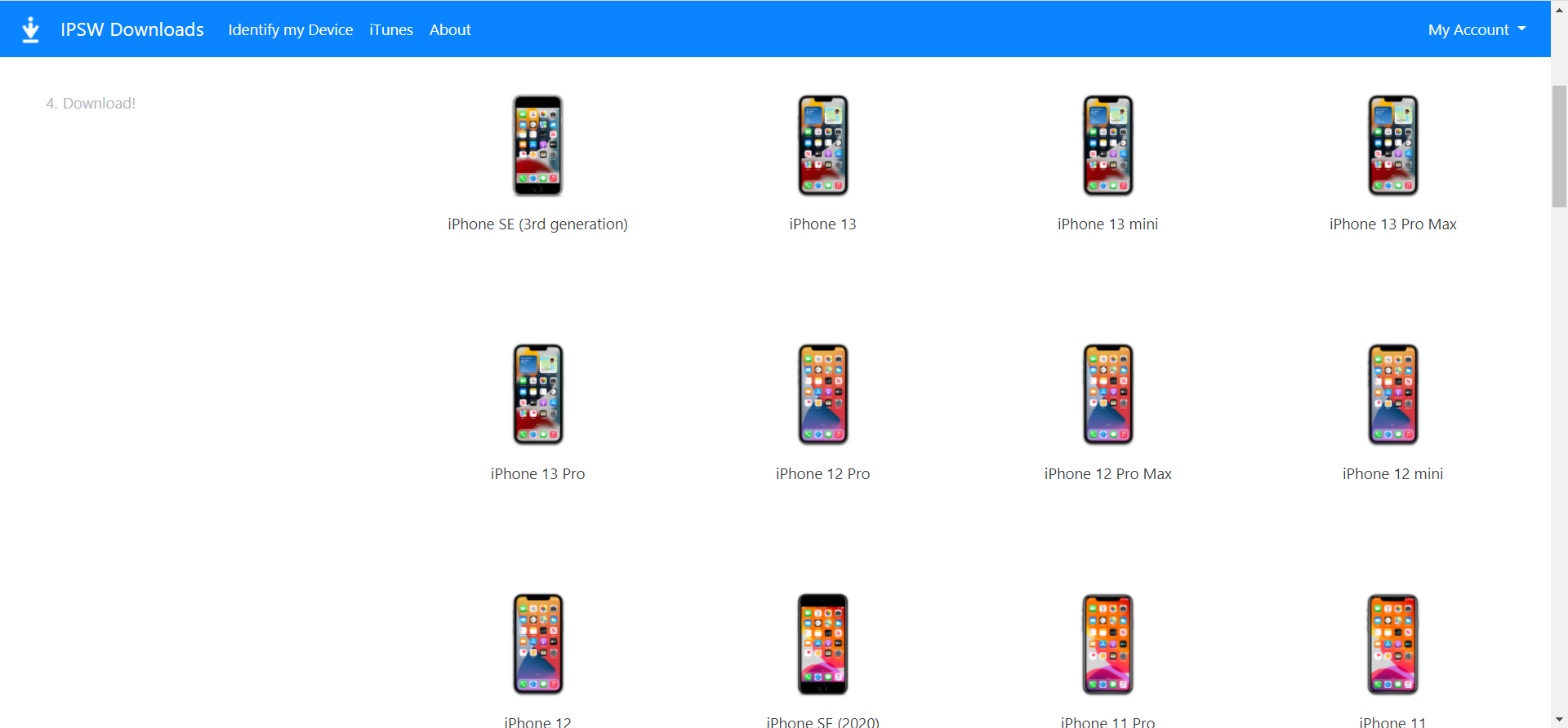
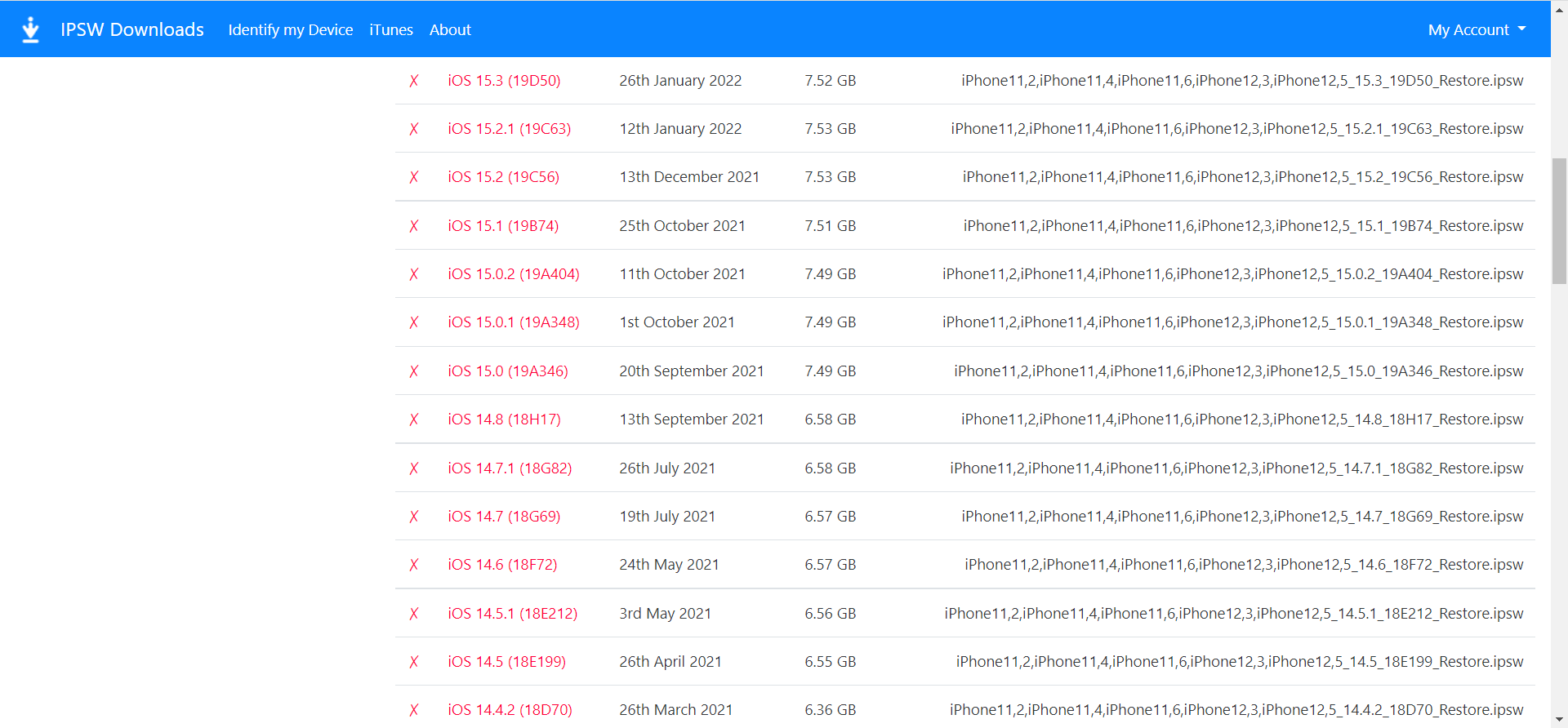
Step 3. Now, you will get the lists of the version simply tap on the iOS 14.8.
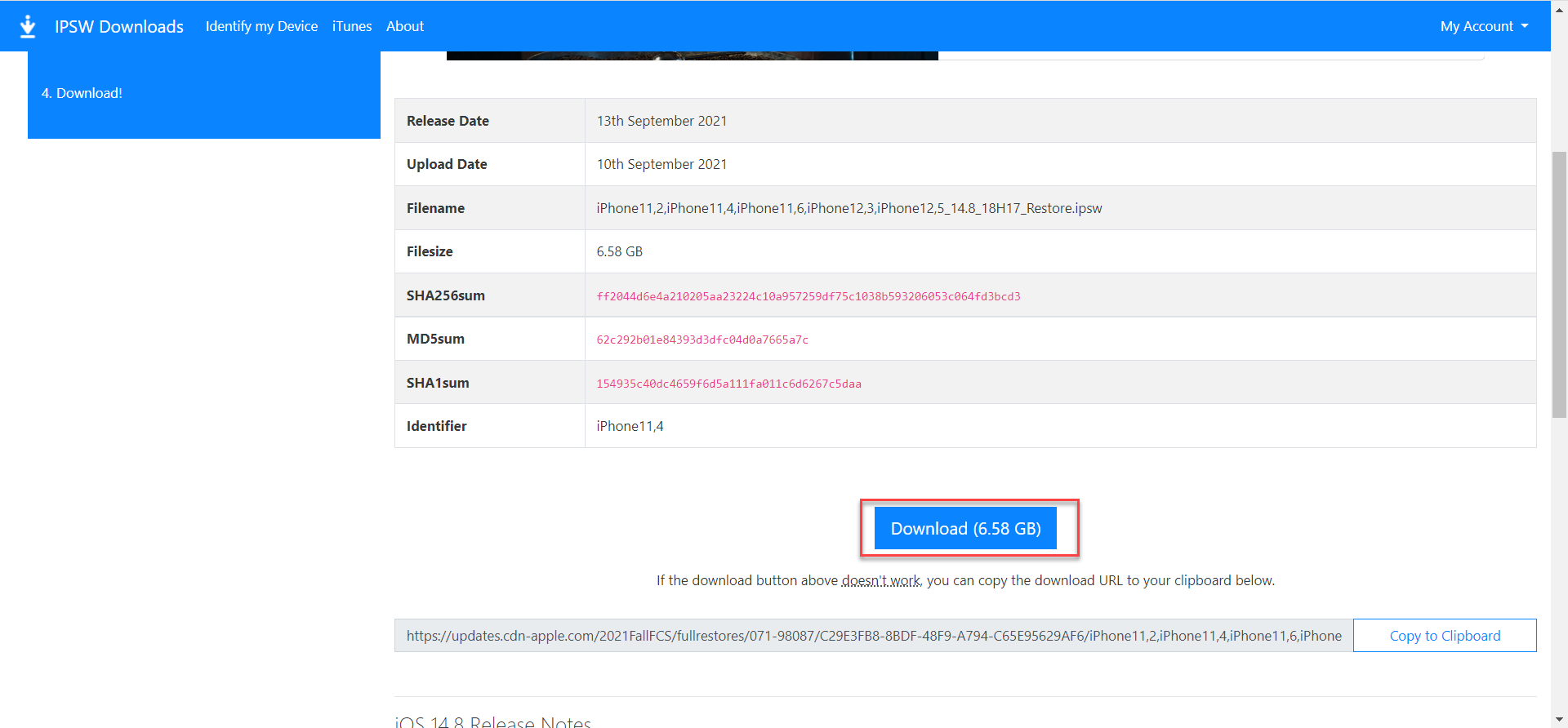
Step 4. Finally, click on the Download.
Step 5. On your PC, connect your mobile to your computer through the cable wire then open iTunes.
Step 6. Next, tap on the Update. Whenever your iPhone freeze then click on Restore.
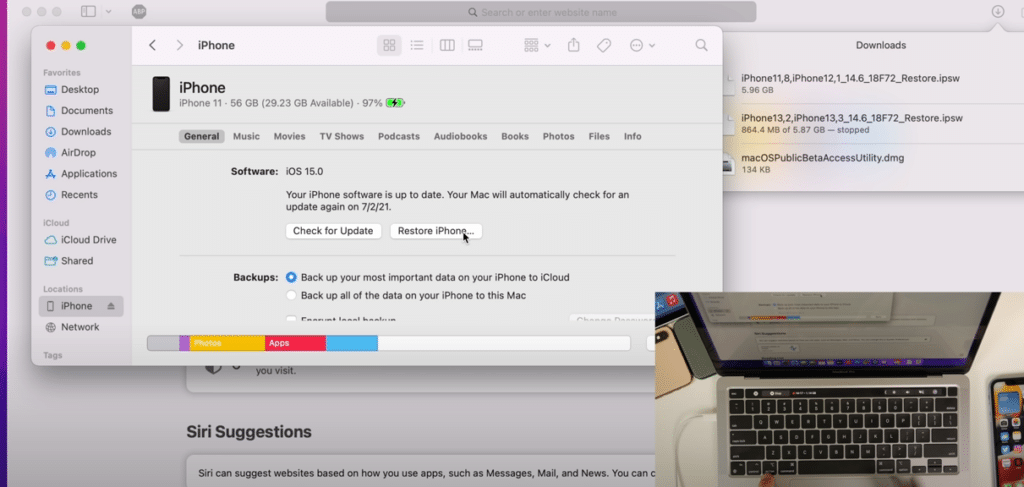
Step 7. In this screen, go and choose the file of the Downloaded iOS 14.8 version then wait until the process should finish.
Step 8. Don’t forget to download and restore your device from iCloud.
Step 9. At last, when all the process is done then you can begin to use iOS 14.8 without losing your data.
Final Words
It was all about How to Roll Back From iOS 15 to 14 Without Losing Data. I hope this article is very helpful for you to roll back from iOS 15 to 14. This was the step to step guide about removing weather info. From this article, you will get something good. This is the right place where you can easily solve your problem. After following these steps I hope you will not face any kind of problem. If you faced any kind of problem and if you have any type of suggestions then do comment.
Explore More:
Share This Article
There are many people that are not appropriate with the iOS 15. They always face problems when they have downloaded iOS 15. People were thinking that the new version of iOS has much performance, but isn’t like that your think it doesn’t have plenty of performance. However, the new feature that has been added to the iOS 15 is not working well even though sometimes it stops working. If you get frustrated from all the issues with the new version then you want to roll back to iOS 14. If you want to roll back from iOS 15 to 14 then you need to read this article. From this article, I’ll guide you on How to Roll Back From iOS 15 to 14 Without Losing Data. So, without wasting any time let’s get started.
How to Roll Back From iOS 15 to 14 Without Losing Data
Step 1. First of all, you have to go to the website of ipsw.me.
Step 2. When the website is loaded then select iPhone after that find the model of your device then click on it.
Step 3. Now, you will get the lists of the version simply tap on the iOS 14.8.
Step 4. Finally, click on the Download.
Step 5. On your PC, connect your mobile to your computer through the cable wire then open iTunes.
Step 6. Next, tap on the Update. Whenever your iPhone freeze then click on Restore.
Step 7. In this screen, go and choose the file of the Downloaded iOS 14.8 version then wait until the process should finish.
Step 8. Don’t forget to download and restore your device from iCloud.
Step 9. At last, when all the process is done then you can begin to use iOS 14.8 without losing your data.
Final Words
It was all about How to Roll Back From iOS 15 to 14 Without Losing Data. I hope this article is very helpful for you to roll back from iOS 15 to 14. This was the step to step guide about removing weather info. From this article, you will get something good. This is the right place where you can easily solve your problem. After following these steps I hope you will not face any kind of problem. If you faced any kind of problem and if you have any type of suggestions then do comment.
Explore More:


