

How to Hide Online Status on Instagram
 Azaz Shaikh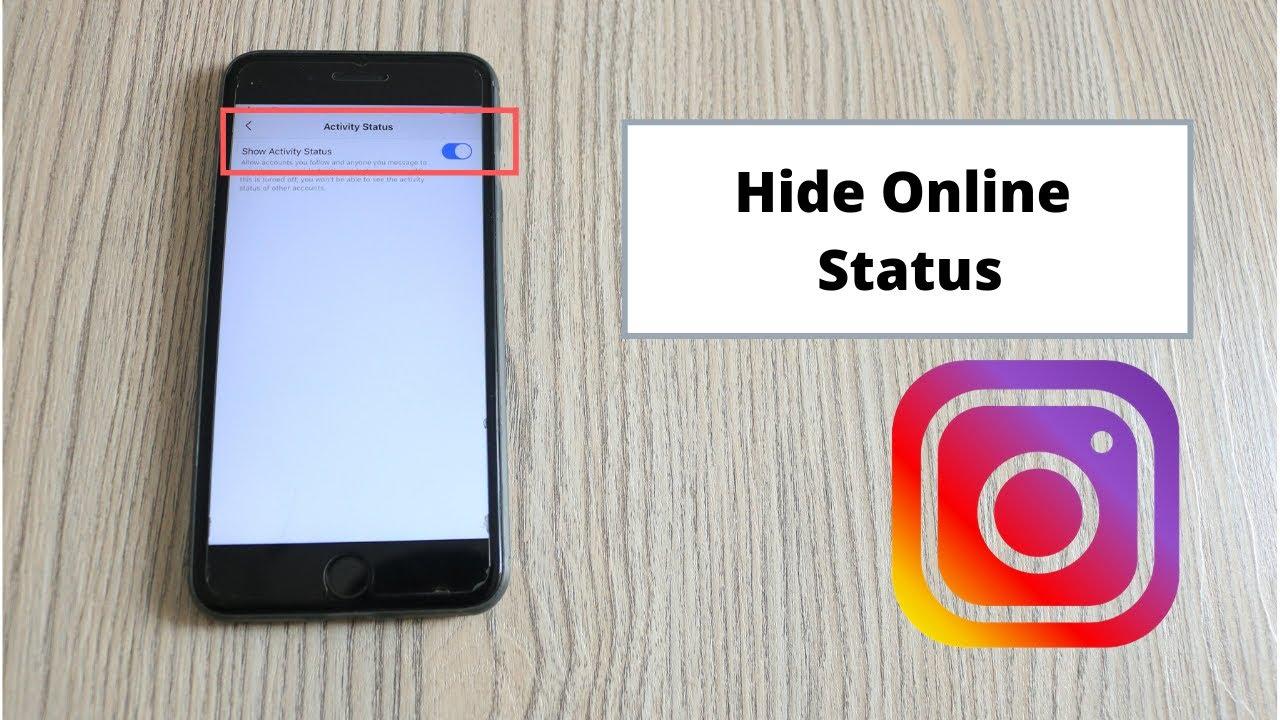
Instagram is the most popular app and a handy app to use. And you can use it every day. You have a friend and family members you are message with them and you can see his last seen. Basically, you see it he is online or offline and you can see which time he online. When you follow someone or someone is following you then you can see his last seen or you can see he is online or offline. I found an easy way to hide your online status without any problem. However, without wasting any time let’s get started. From this article, you will learn How to Hide Online Status on Instagram.
So Instagram launched on October 6, 2010. The real author of Instagram is Kevin Systrom. Instagram is a mobile application that allows you to take, edit, and share photos and videos. Moreover, Your friends and family can follow you on Instagram to see your picture and video post. Moreover, you can follow your friends, family, as well as celebrities and athletes. You can choose to have your posts be public for anyone to see, or make your account private you can pick and choose who allows seeing your post. Nowadays most people use Instagram because when you upload your picture then it uploads in high quality.
How to Hide Online Status on Instagram
Step 1. At first, you need to open Instagram.
Step 2. Further, go to your Profile at the right-hand corner.
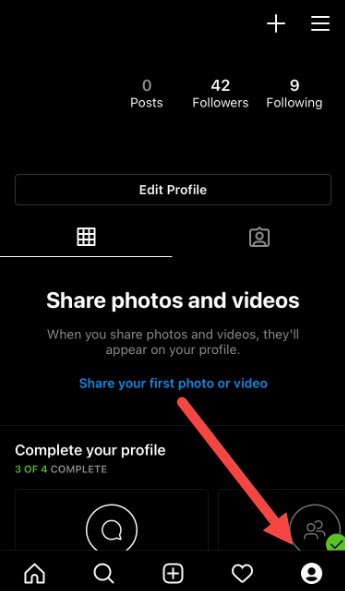 Click on the Profile
Step 3. Moreover, click on the Three lines.
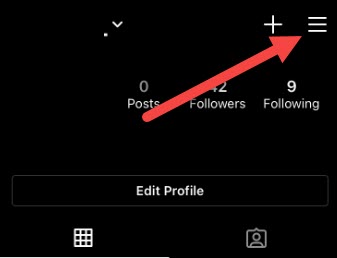 Click on the Three Lines
Step 4. However, click on the Setting.
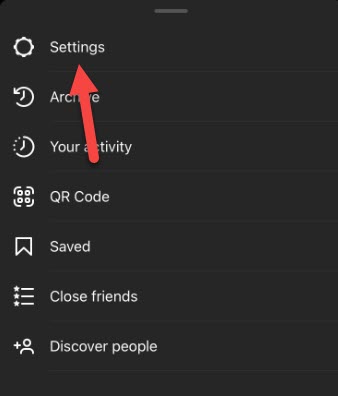 Click on the Setting
Step 5. Furthermore, click on Privacy.
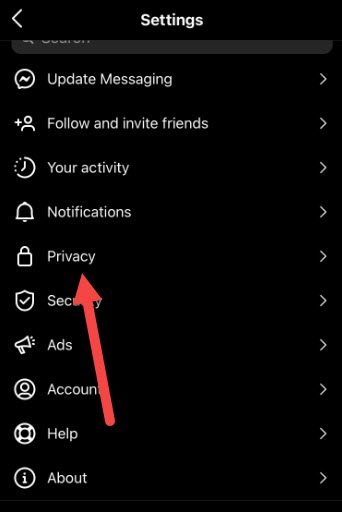 Click on Privacy
Step 6. Next, click on the Activity Status.
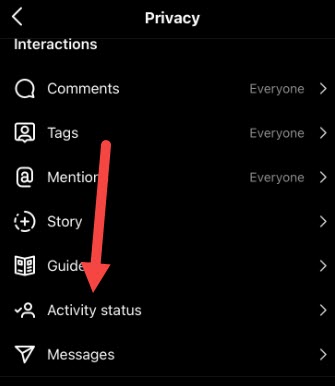 Click on the Activity Status
Step 7. Now, you are in the last step then turn off the Show Activity Status.
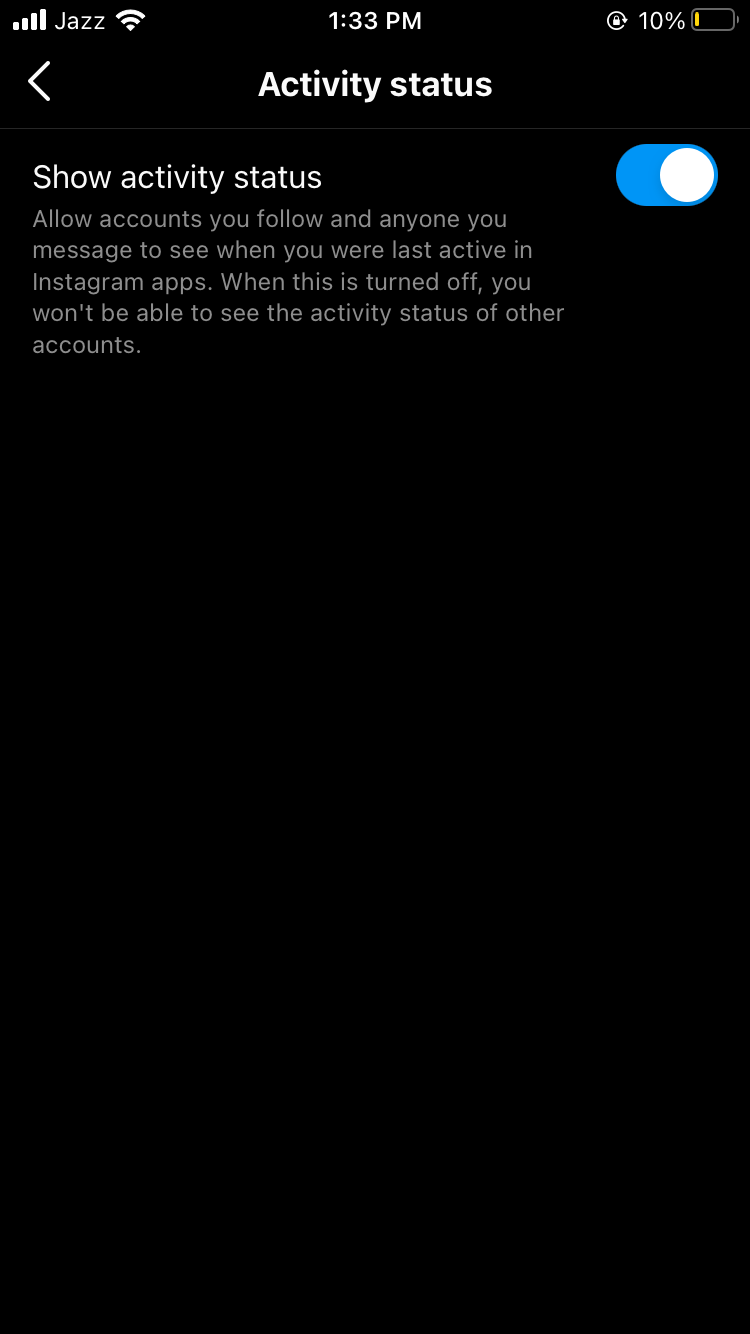 Turn off the Show Activity Status
Related Guide:
How to Change Your Account Picture In Windows 10
How to Change Your Display Name On Gmail
Bottom line
It was all about How to Hide Online Status on Instagram. Here is a step by step on hiding online status. I hope after reading this article you will get something about online status. So, you are facing any kind of problem or any suggestion then you will give your suggestion in the comment box down below.
Tagged
Share This Article
Instagram is the most popular app and a handy app to use. And you can use it every day. You have a friend and family members you are message with them and you can see his last seen. Basically, you see it he is online or offline and you can see which time he online. When you follow someone or someone is following you then you can see his last seen or you can see he is online or offline. I found an easy way to hide your online status without any problem. However, without wasting any time let’s get started. From this article, you will learn How to Hide Online Status on Instagram.
So Instagram launched on October 6, 2010. The real author of Instagram is Kevin Systrom. Instagram is a mobile application that allows you to take, edit, and share photos and videos. Moreover, Your friends and family can follow you on Instagram to see your picture and video post. Moreover, you can follow your friends, family, as well as celebrities and athletes. You can choose to have your posts be public for anyone to see, or make your account private you can pick and choose who allows seeing your post. Nowadays most people use Instagram because when you upload your picture then it uploads in high quality.
How to Hide Online Status on Instagram
Step 1. At first, you need to open Instagram.
Step 2. Further, go to your Profile at the right-hand corner.
Click on the Profile
Step 3. Moreover, click on the Three lines.
Click on the Three Lines
Step 4. However, click on the Setting.
Click on the Setting
Step 5. Furthermore, click on Privacy.
Click on Privacy
Step 6. Next, click on the Activity Status.
Click on the Activity Status
Step 7. Now, you are in the last step then turn off the Show Activity Status.
Turn off the Show Activity Status
Related Guide:
How to Change Your Account Picture In Windows 10
How to Change Your Display Name On Gmail
Bottom line
It was all about How to Hide Online Status on Instagram. Here is a step by step on hiding online status. I hope after reading this article you will get something about online status. So, you are facing any kind of problem or any suggestion then you will give your suggestion in the comment box down below.


