

How to Add Music to Your Facebook Profile and Story on iPhone and Android?
 Azaz Shaikh
Have you ever seen people who are adding music to their stories and profiles? After that, you also want to add songs to your Facebook profile and stories. Then this article is completely for those people who want to share stories with music. From this article, you will learn How to Add Music to Your Facebook Profile and Story on iPhone and Android.
Facebook is the best platform which will always give the chance to be connected with tour relatives. We can get full of advanced features to share your expression through videos. One of the features of Facebook is that you can share stories and the duration of the story is 15 seconds or above. Adding music to our stories and profile is looking interesting. While we are talking about music on Facebook, one thing you don’t need to forget is that you can also add music to Facebook Stories as well.
How to Add Music to Your Facebook Profile
Step 1. First of all, open the Facebook app then click on your Profile on the top left side of the screen.
Step 2. Once the profile is open then go down to the post section after that click on the Music.
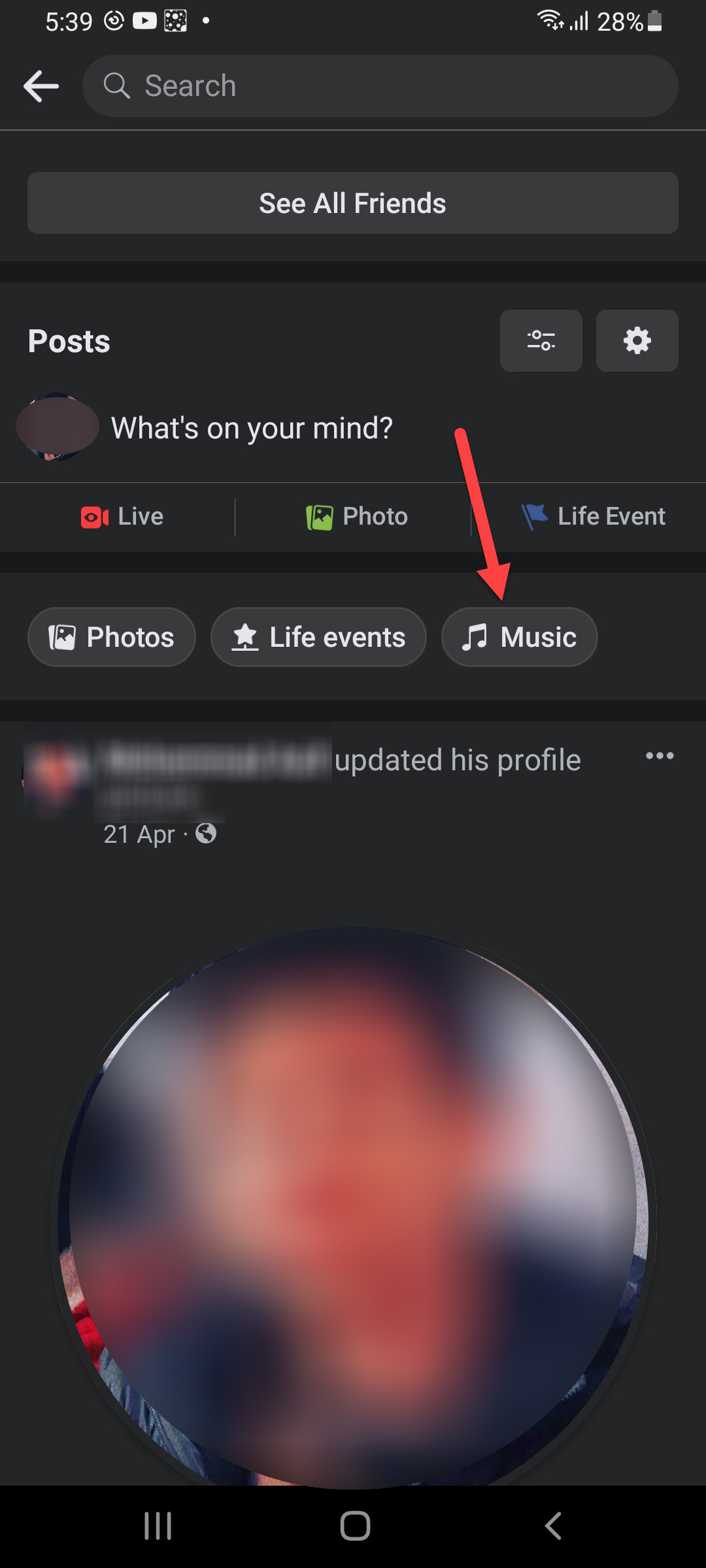 Click on the Music
 Step 3. Now, tap on the Plus icon at the top right.
 Tap on the Plus
 Step 4. Next, search for the music that you want to add, and you have a chance to add as much as you can add.

Step 5. Click on the Close icon then you will get previously added music.
How to Remove Song From Your Facebook Profile
Step 1. Go to your Facebook profile.
Step 2. Then head towards the Music.
Music Step 4. Tap on the Ellipsis of that music that you want to remove from your Facebook profile.
Step 5. At last, choose Delete Song From Profile.
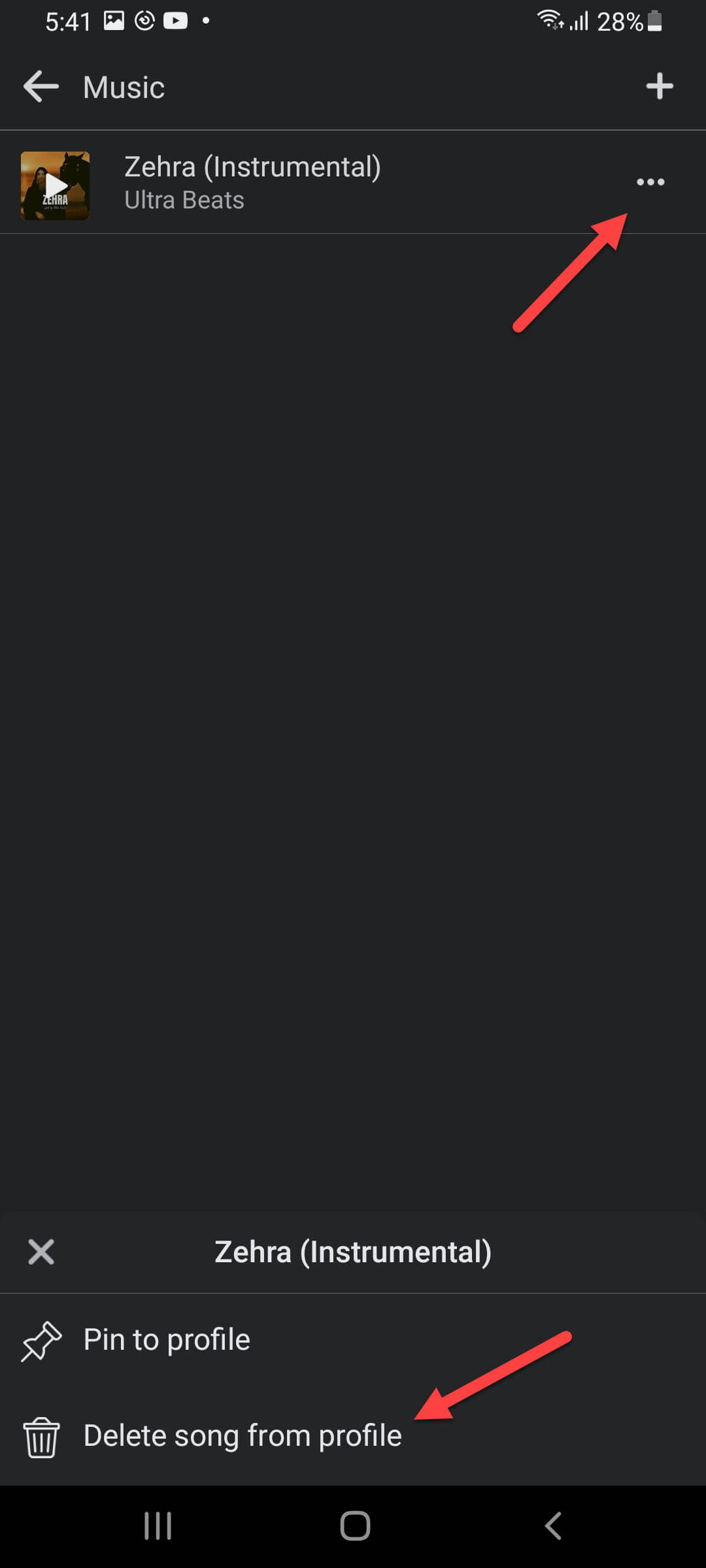 Choose Delete Song From Profile
 How to Add Music to Your Facebook Story
Step 1. Launch the Facebook then click on the Story section.
Step 2. Now, select the music that you want to add from your list or you can also search for music.
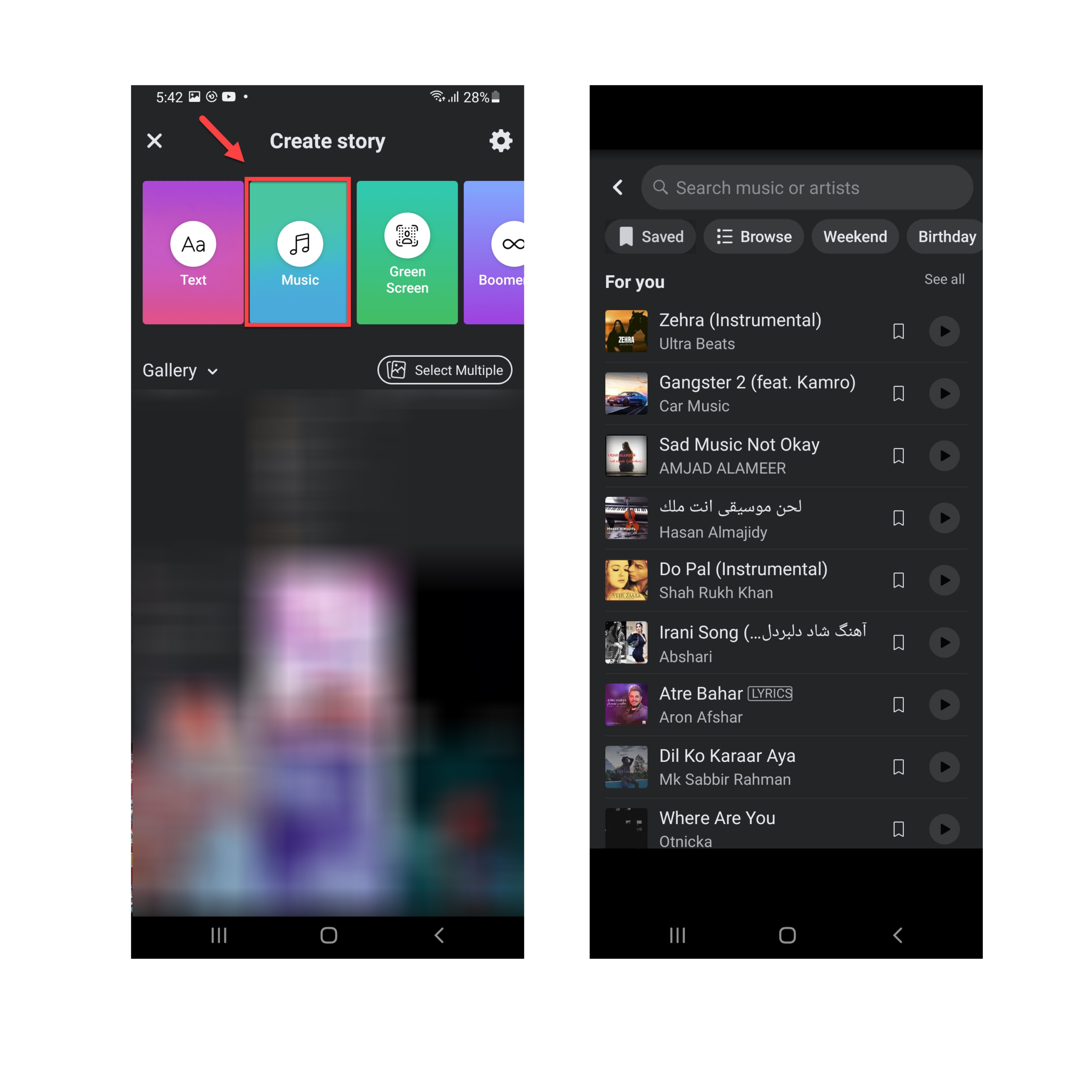
Step 3. If you want to add the lyrics of that music then tap on the Lyrics.
Step 4. Finally, click on the Share to share your story section.
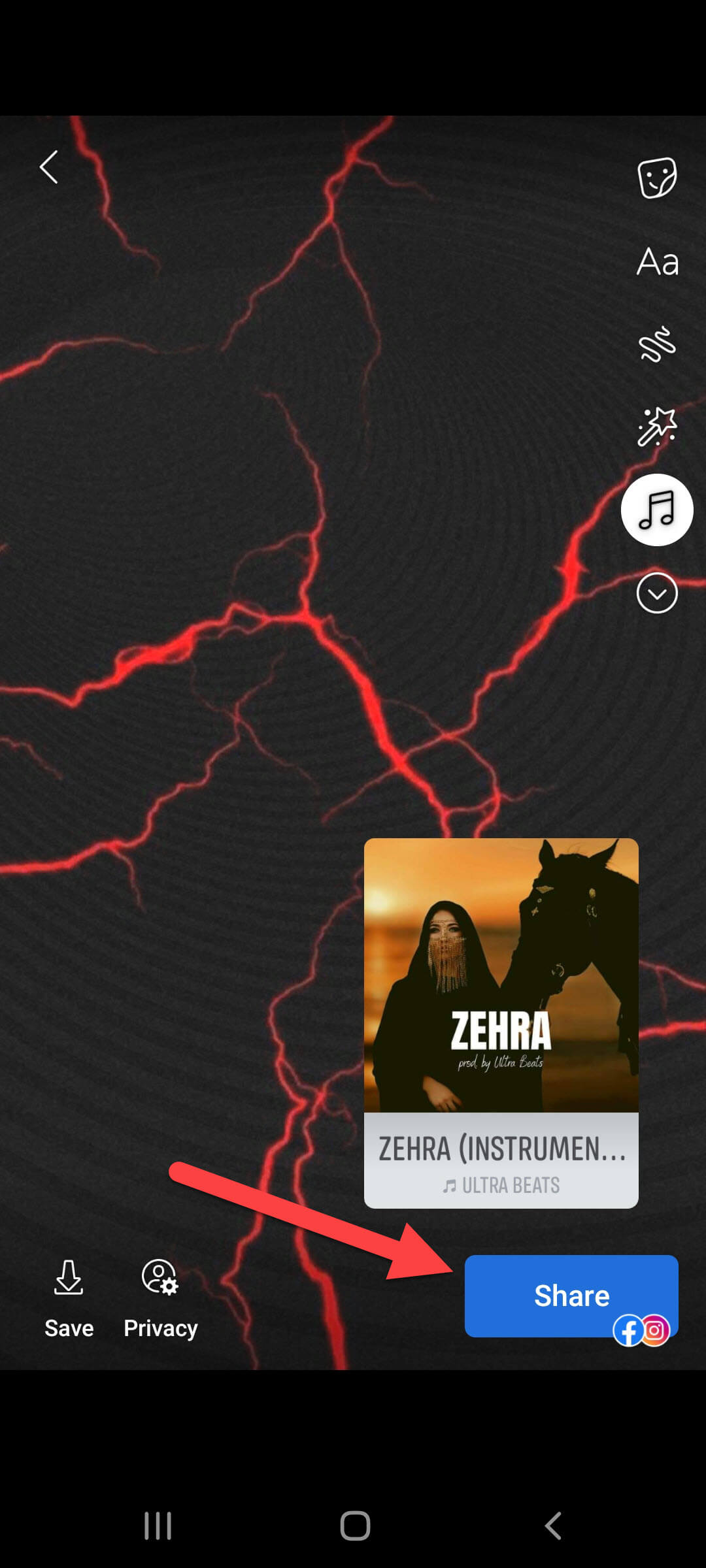 Click on the Share
 Final Words
It was all about How to Add Music to Your Facebook Profile and Story on iPhone and Android. I hope this article is very helpful for you. From this article, you will get something good. This was step by step guide on the that you were searching about it. Further, this is the right place where you can easily solve your problem. After following these steps I hope you will not face any kind of problem. However, If you faced any kind of problem and if you have any type of suggestion then do comment.
Related Posts:
Share This Article
Have you ever seen people who are adding music to their stories and profiles? After that, you also want to add songs to your Facebook profile and stories. Then this article is completely for those people who want to share stories with music. From this article, you will learn How to Add Music to Your Facebook Profile and Story on iPhone and Android.
Facebook is the best platform which will always give the chance to be connected with tour relatives. We can get full of advanced features to share your expression through videos. One of the features of Facebook is that you can share stories and the duration of the story is 15 seconds or above. Adding music to our stories and profile is looking interesting. While we are talking about music on Facebook, one thing you don’t need to forget is that you can also add music to Facebook Stories as well.
How to Add Music to Your Facebook Profile
Step 1. First of all, open the Facebook app then click on your Profile on the top left side of the screen.
Step 2. Once the profile is open then go down to the post section after that click on the Music.
Click on the Music Step 3. Now, tap on the Plus icon at the top right.
Tap on the Plus Step 4. Next, search for the music that you want to add, and you have a chance to add as much as you can add.
Step 5. Click on the Close icon then you will get previously added music.
How to Remove Song From Your Facebook Profile
Step 1. Go to your Facebook profile.
Step 2. Then head towards the Music.
Music Step 4. Tap on the Ellipsis of that music that you want to remove from your Facebook profile.
Step 5. At last, choose Delete Song From Profile.
Choose Delete Song From Profile How to Add Music to Your Facebook Story
Step 1. Launch the Facebook then click on the Story section.
Step 2. Now, select the music that you want to add from your list or you can also search for music.
Step 3. If you want to add the lyrics of that music then tap on the Lyrics.
Step 4. Finally, click on the Share to share your story section.
Click on the Share Final Words
It was all about How to Add Music to Your Facebook Profile and Story on iPhone and Android. I hope this article is very helpful for you. From this article, you will get something good. This was step by step guide on the that you were searching about it. Further, this is the right place where you can easily solve your problem. After following these steps I hope you will not face any kind of problem. However, If you faced any kind of problem and if you have any type of suggestion then do comment.
Related Posts:


