

How to Add IDM Extension on Microsoft Edge 2021
 Azaz Shaikh
Some people use Microsoft edge because Microsoft edge is not rammed-hungry software. But most of the people are using Google Chrome because it’s very great from all the software. Sometimes when you are using Microsoft edge then your watching videos or song on YouTube. Once you watch the song on YouTube then you will like the song after that you need to download that. If you want to add an extension in Microsoft edge then you need to read this article. So, without wasting any time let’s get has started. From this article, you will learn How to Add IDM Extension on Microsoft Edge 2021
When you try to download the song then you don’t know the way that you can download the song. But I will find a way that you can easily download videos or songs. You don’t need any third-party software to download videos. You need the software and that is IDM the full form of IDM is internet downloader manager.
What is IDM?
When Microsoft released its fastest browser then IDM also released its Integration module extension for Microsoft Edge Browser. At that time IDM 6.30 was running. That is why Microsoft edge supports the integration module from IDM 6.30 t0 upper version. If you have an IDM older than IDM 6.30, then you need to upgrade your IDM to IDM 6.30. Or Install a new version of IDM. The IDM the best software for downloading the video and song from anywhere. The IDM is a free software to use and the video which you want.
Related Post: How to Bypass Mega Download Limit without VPN – New Method
How to Add IDM Extension in Microsoft Edge 2021
Step 1. Firstly, you need to open the Microsoft Edge on your PC or laptop.
Step 2. Click on this link to directly reach the website that you can easily add it.
Step 3. Tap on the Add to Chrome.
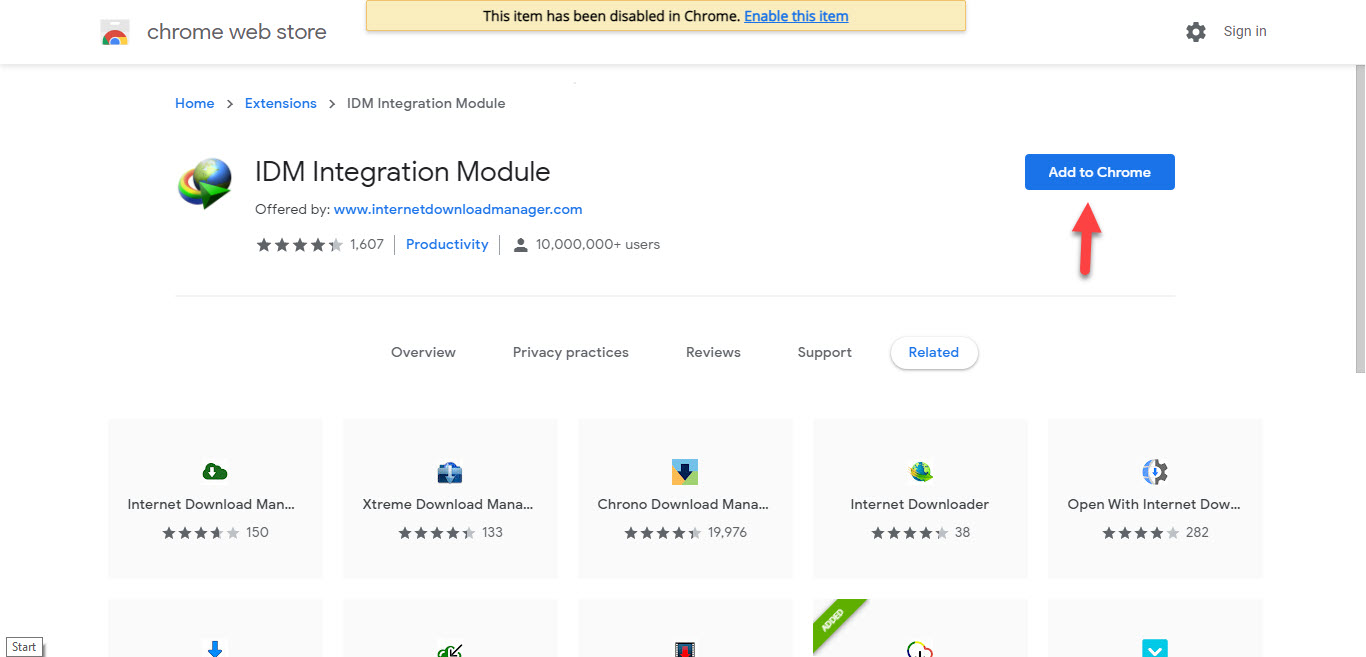 Tap on the Add to Chrome
 Step 4. Now, the message will pop up that can you add the extension of IDM after that simply click on the Add Extension.
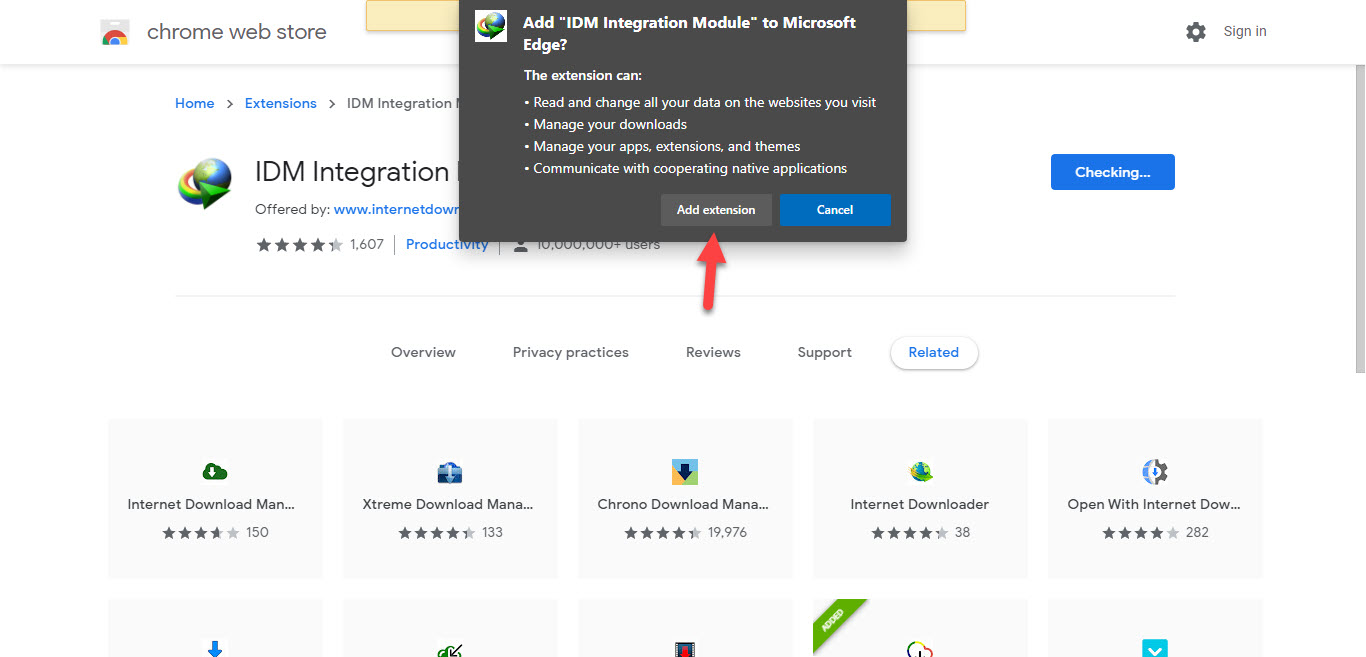 Click on the Add Extension
 Step 5. When you click on the add extension then you can see that you have has installed the internet downloader manager in Microsoft edge.
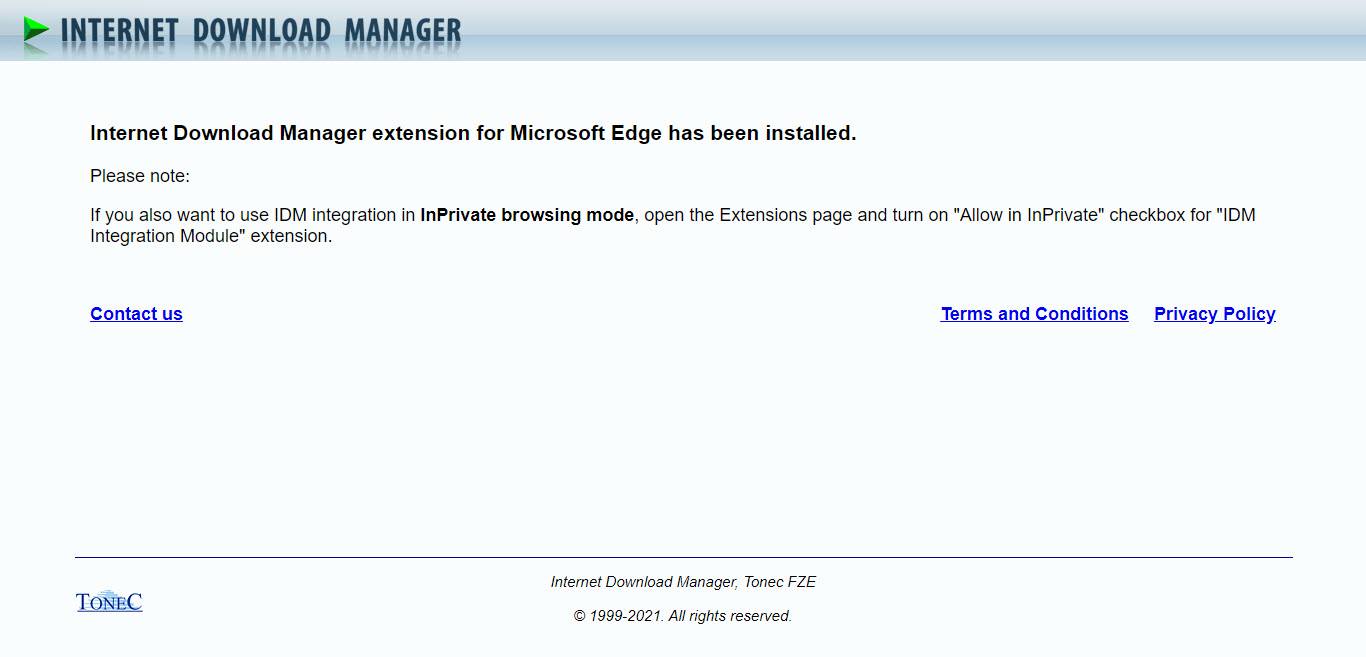 Successfully You Has Been Installed the Extension of IDM
 Step 6. Once the extension is added then click on the Three Dots after that tap on the Extensions.
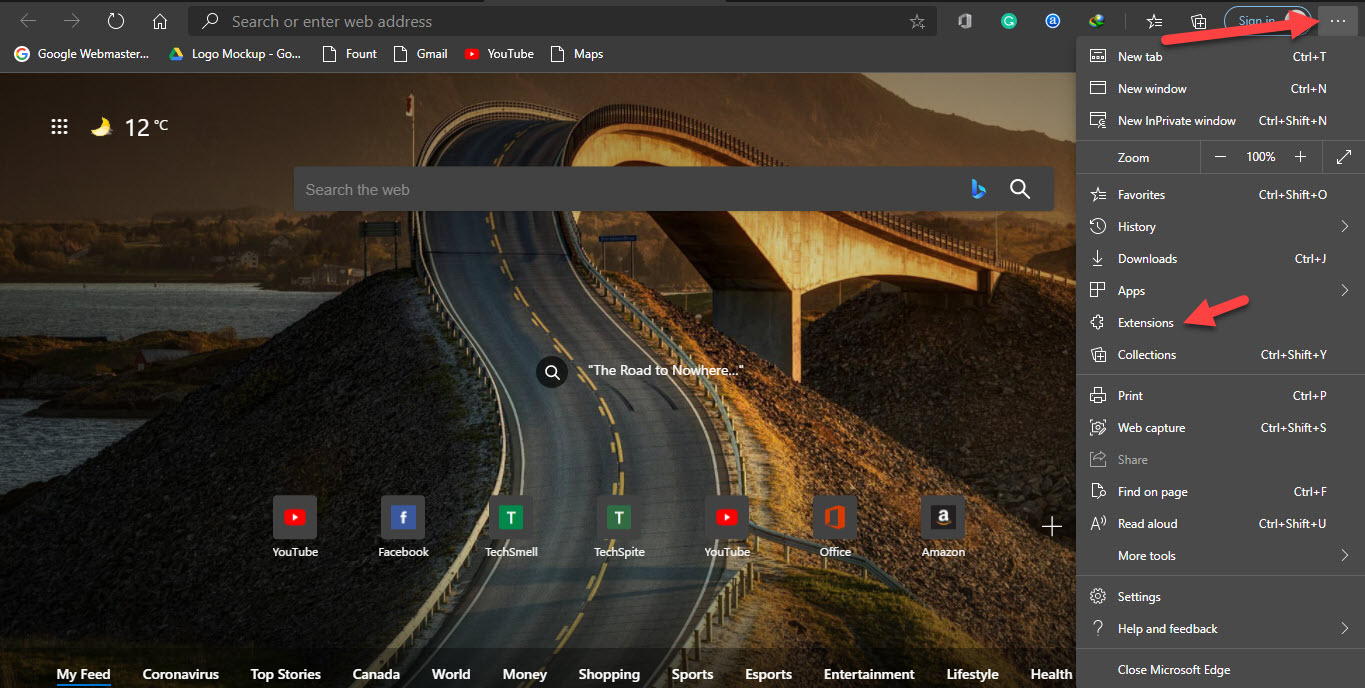 Tap on the Extensions
 Step 7. You can turn off the extension by turn the toggle off.
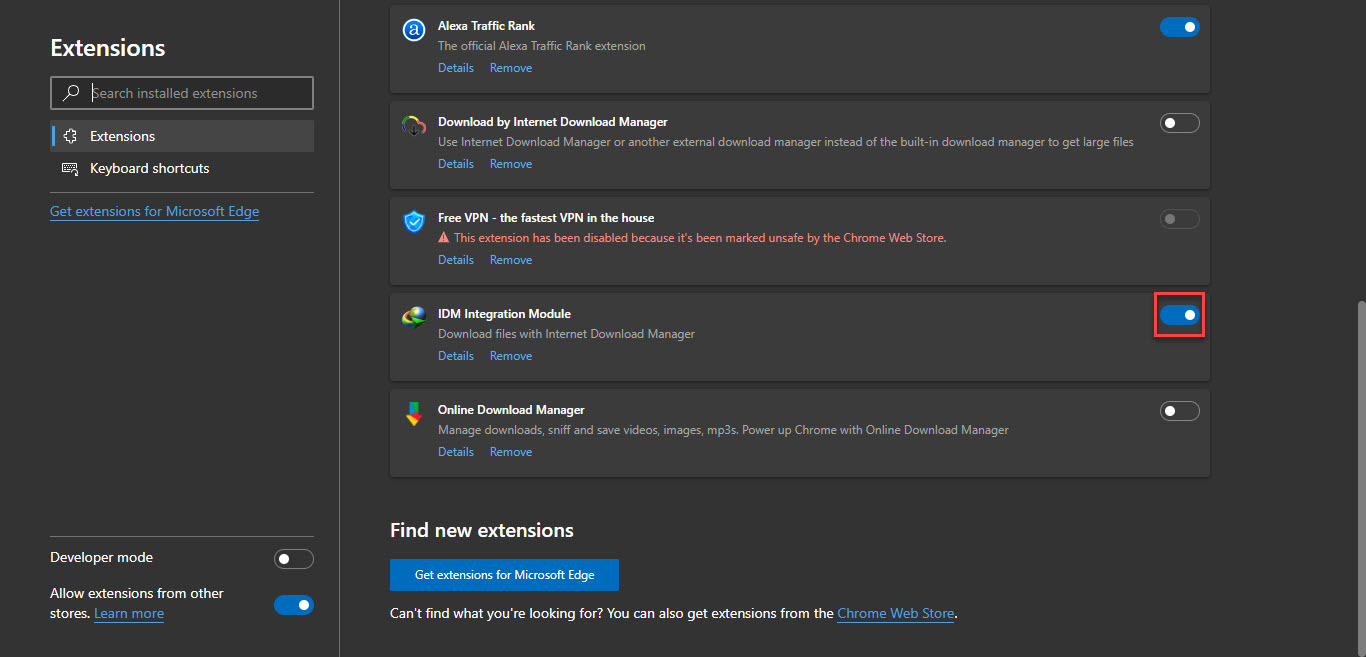 Turn Off When You Want
 Related Post: 3 Ways To Check If a Disk Drive is GPT or MBR in Windows 10
Bottom Line
It was all about How to Add IDM Extension on Microsoft Edge 2021. I hope this article is very helpful for you to find a way that you can easily add the extension of IDM. This is the right place that you can add the extension of IDM. From this article, you will get something good about IDM. After following these steps you will not face any kind of problem. So if you are faced with any kind of problem and if you have any suggestions then go down leave your comment.
Related Post: 8 Best Operating Systems for Laptops and Computers in 2021
Tagged
Share This Article
Some people use Microsoft edge because Microsoft edge is not rammed-hungry software. But most of the people are using Google Chrome because it’s very great from all the software. Sometimes when you are using Microsoft edge then your watching videos or song on YouTube. Once you watch the song on YouTube then you will like the song after that you need to download that. If you want to add an extension in Microsoft edge then you need to read this article. So, without wasting any time let’s get has started. From this article, you will learn How to Add IDM Extension on Microsoft Edge 2021
When you try to download the song then you don’t know the way that you can download the song. But I will find a way that you can easily download videos or songs. You don’t need any third-party software to download videos. You need the software and that is IDM the full form of IDM is internet downloader manager.
What is IDM?
When Microsoft released its fastest browser then IDM also released its Integration module extension for Microsoft Edge Browser. At that time IDM 6.30 was running. That is why Microsoft edge supports the integration module from IDM 6.30 t0 upper version. If you have an IDM older than IDM 6.30, then you need to upgrade your IDM to IDM 6.30. Or Install a new version of IDM. The IDM the best software for downloading the video and song from anywhere. The IDM is a free software to use and the video which you want.
Related Post: How to Bypass Mega Download Limit without VPN – New Method
How to Add IDM Extension in Microsoft Edge 2021
Step 1. Firstly, you need to open the Microsoft Edge on your PC or laptop.
Step 2. Click on this link to directly reach the website that you can easily add it.
Step 3. Tap on the Add to Chrome.
Tap on the Add to Chrome Step 4. Now, the message will pop up that can you add the extension of IDM after that simply click on the Add Extension.
Click on the Add Extension Step 5. When you click on the add extension then you can see that you have has installed the internet downloader manager in Microsoft edge.
Successfully You Has Been Installed the Extension of IDM Step 6. Once the extension is added then click on the Three Dots after that tap on the Extensions.
Tap on the Extensions Step 7. You can turn off the extension by turn the toggle off.
Turn Off When You Want Related Post: 3 Ways To Check If a Disk Drive is GPT or MBR in Windows 10
Bottom Line
It was all about How to Add IDM Extension on Microsoft Edge 2021. I hope this article is very helpful for you to find a way that you can easily add the extension of IDM. This is the right place that you can add the extension of IDM. From this article, you will get something good about IDM. After following these steps you will not face any kind of problem. So if you are faced with any kind of problem and if you have any suggestions then go down leave your comment.
Related Post: 8 Best Operating Systems for Laptops and Computers in 2021


