

How to Download YouTube Videos on Computer Without IDM
 Azaz Shaikh
Welcome, today I am going to show you guys that How to Download YouTube Videos on Computer Without IDM. Some of the users can’t download the videos from youtube without the internet download manager. If you are one of them then don’t worry too much I will guide to download it. So, it is free of cost and it will not need any software or program you need to just the easy step which I am going to guide below. And you don’t need to take tension because it is 100% safe and best way.
Nowadays, everyone is looking at how to download youtube video without idm. The way or the steps which I am going to show you believe me 100% that it is one of the best and the easiest way which you will not forget this way in your life. Everyone knows to download Youtube with IDM (internet download manager) but some of them don’t know without IDM. And billions of people visit YouTube but they don’t know How to Download YouTube Videos on Computer Without IDM. Fully Concentrate the following steps which I am going to guide you right now below.
How to Download YouTube Videos on Computer Without IDM
Step 1. With the first step, you need to open or search Youtube.com in Google.com or click on the link to open that all direct just by clicking on them.
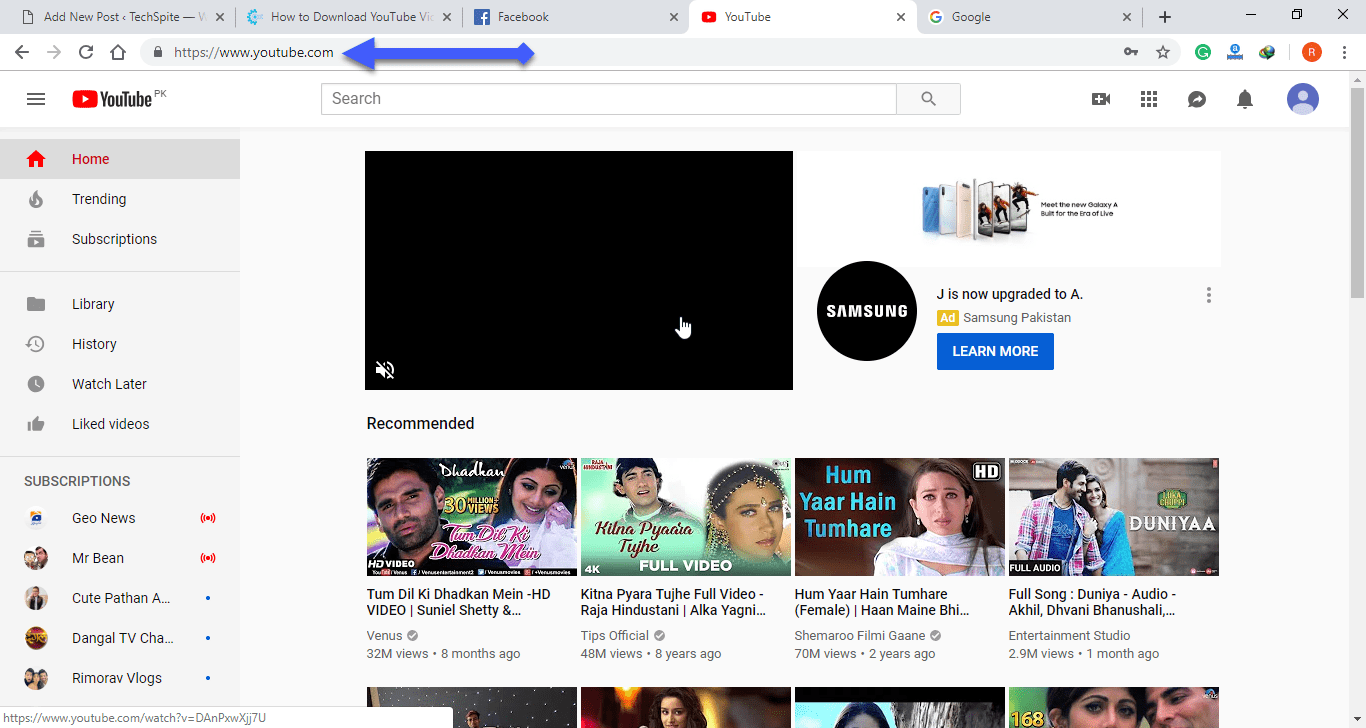 Open YouTube
 Step 2. Once it will be opened, then choose your favorite movie, songs, and whatever you want to select that, I will simply choose a ringtone for my iPhone.
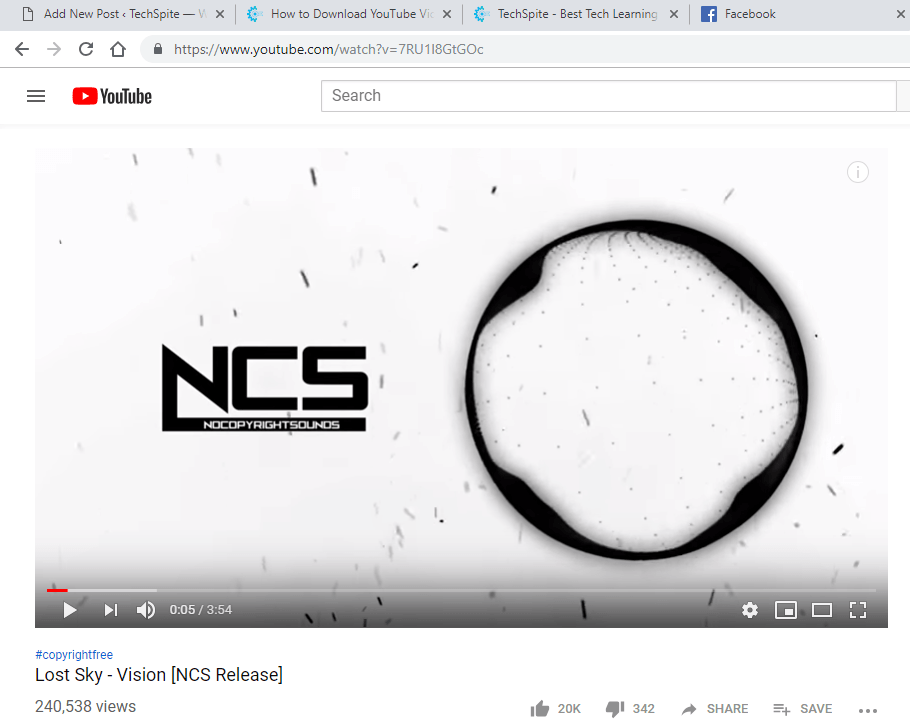 Choose a song
 Step 3. After selecting your favorite video, then you need to edit the URL of the selected video, after www. you need to type ss. Then press enter from your keyboard of pc.
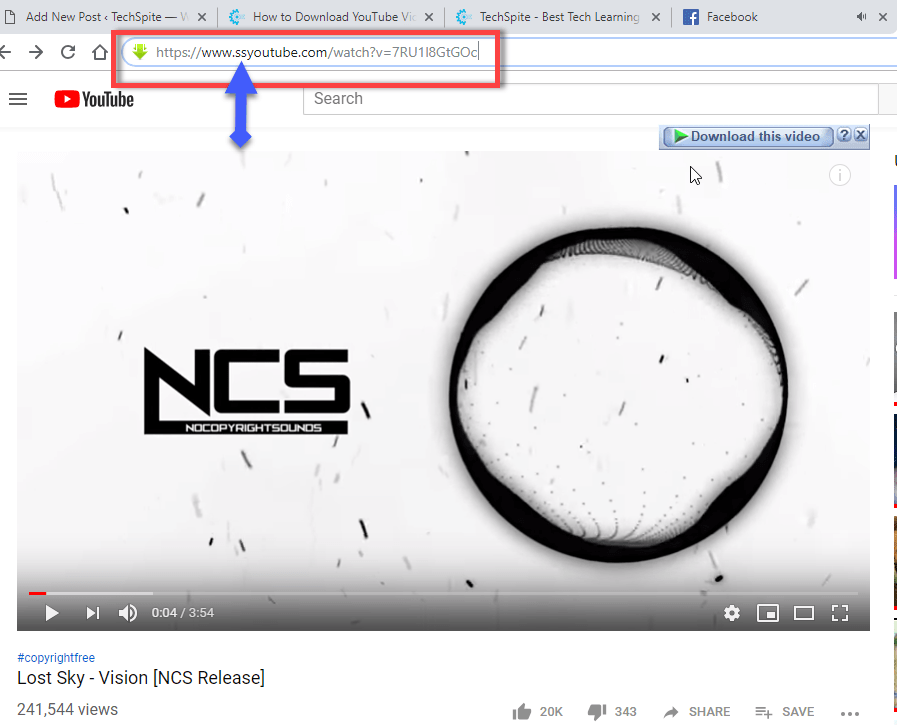 Edit URL
 Step 4. A new window will be opened, it will be your choice that you want the select video or mp3. If you want it as an MP3 then click on the HD / MP3. Or if you want it as a video then choose MP4 option then click on the download option which is a green color. And it will be downloaded automatically in your pc.
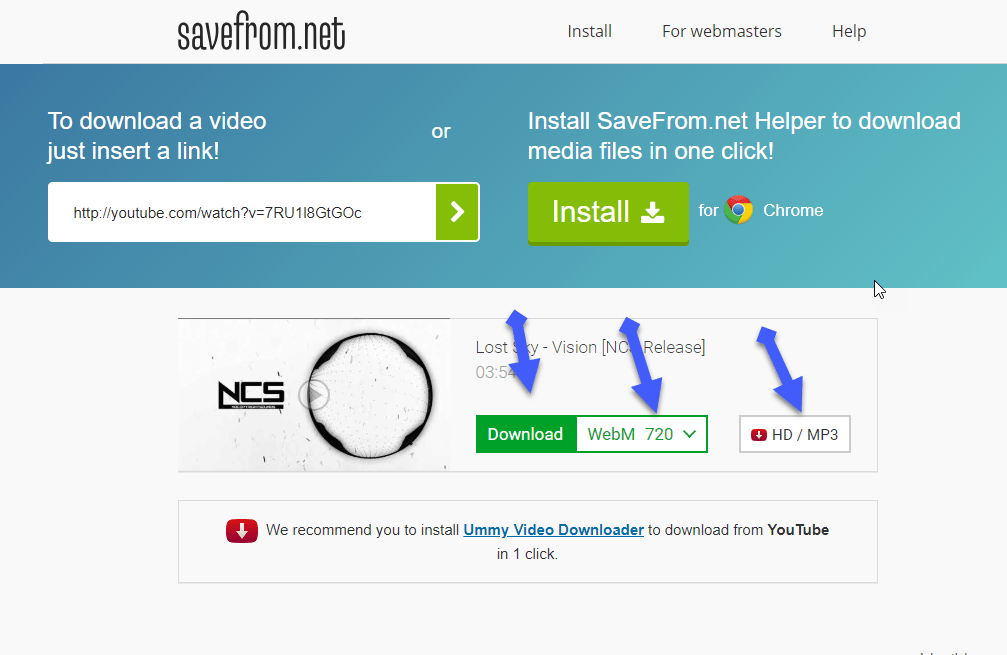 Choose the download option
 Congratulation! you have done great. I have downloaded the song as MP3 as you can see in the screenshot below.
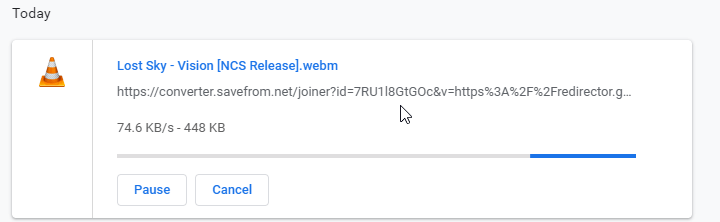 Done
Done Conclusion:
From the beginning of the article, I said that it is a very easy and simple way. I hope it was a great and useful article for you. If you have any question regarding this then feel free to ask it with the comment box. Daily visit my site for the best tech learning point. Thanks for visiting techspite – best tech learning point.
Share This Article
Welcome, today I am going to show you guys that How to Download YouTube Videos on Computer Without IDM. Some of the users can’t download the videos from youtube without the internet download manager. If you are one of them then don’t worry too much I will guide to download it. So, it is free of cost and it will not need any software or program you need to just the easy step which I am going to guide below. And you don’t need to take tension because it is 100% safe and best way.
Nowadays, everyone is looking at how to download youtube video without idm. The way or the steps which I am going to show you believe me 100% that it is one of the best and the easiest way which you will not forget this way in your life. Everyone knows to download Youtube with IDM (internet download manager) but some of them don’t know without IDM. And billions of people visit YouTube but they don’t know How to Download YouTube Videos on Computer Without IDM. Fully Concentrate the following steps which I am going to guide you right now below.
How to Download YouTube Videos on Computer Without IDM
Step 1. With the first step, you need to open or search Youtube.com in Google.com or click on the link to open that all direct just by clicking on them.
Open YouTube Step 2. Once it will be opened, then choose your favorite movie, songs, and whatever you want to select that, I will simply choose a ringtone for my iPhone.
Choose a song Step 3. After selecting your favorite video, then you need to edit the URL of the selected video, after www. you need to type ss. Then press enter from your keyboard of pc.
Edit URL Step 4. A new window will be opened, it will be your choice that you want the select video or mp3. If you want it as an MP3 then click on the HD / MP3. Or if you want it as a video then choose MP4 option then click on the download option which is a green color. And it will be downloaded automatically in your pc.
Choose the download option Congratulation! you have done great. I have downloaded the song as MP3 as you can see in the screenshot below.
Done Conclusion:
From the beginning of the article, I said that it is a very easy and simple way. I hope it was a great and useful article for you. If you have any question regarding this then feel free to ask it with the comment box. Daily visit my site for the best tech learning point. Thanks for visiting techspite – best tech learning point.


