How to Password Protect Photos on Android in 2021
 Azaz Shaikh
If you have a mobile most of the time you will take a picture then some of the pictures are very private that no one can see this picture. Then you don’t know to password protect photos after that in that situation you will delete your private picture because you don’t have a way to password protect your private photos. I here to give saltation for your problem. So, if you want to password protect your photos then you need to download the third-party application. Without wasting any time let’s get has started. From this article, you will learn How to Password Protect Photos on Android in 2021.
How to Password Protect Photos on Android in 2021
If you want to password protect photos then the steps are down below. I will find for you the easiest way to password protect photos. However, I hope you are doing the steps you will not face any kind of mistakes.
Step 1. At first, open your Play Store then go to the search bar after that type Keepsave Photo Vault.
Step 2. When you find the app then simply click on the Install.
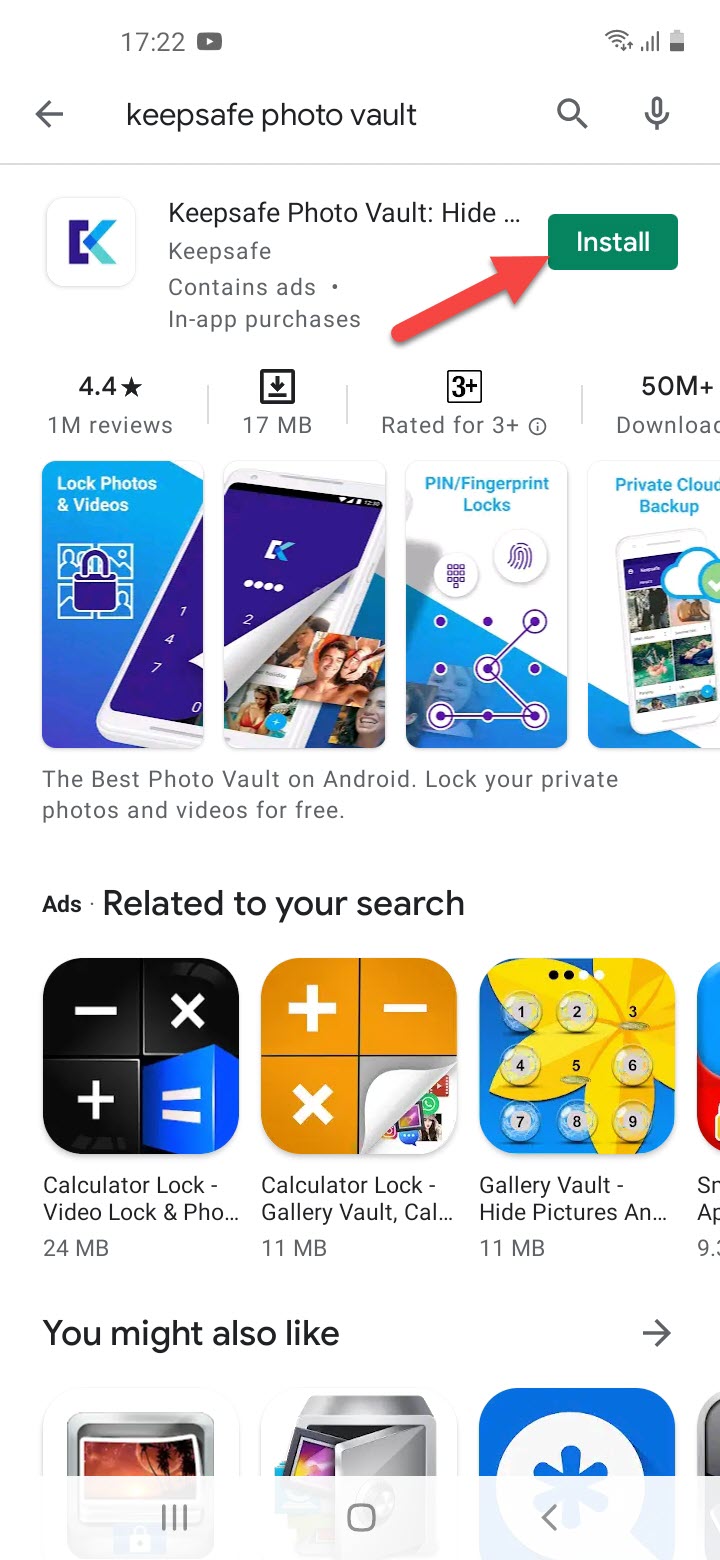 Click on the Install
 Step 3. Once the installation is done then click on the Open.
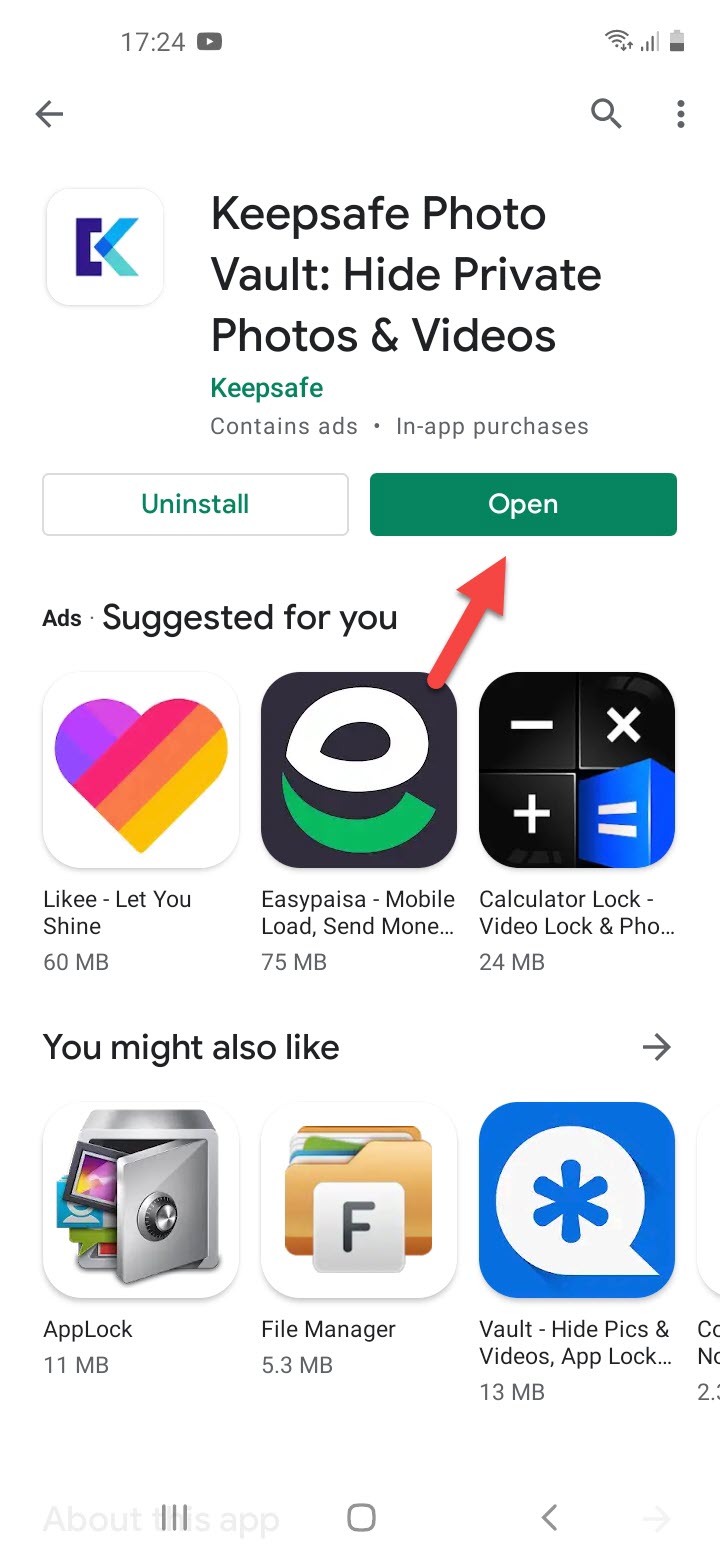 Click on the Open
 Step 4. So, when the app is open the click on the Grant Access to permission to encrypt your photo and video.
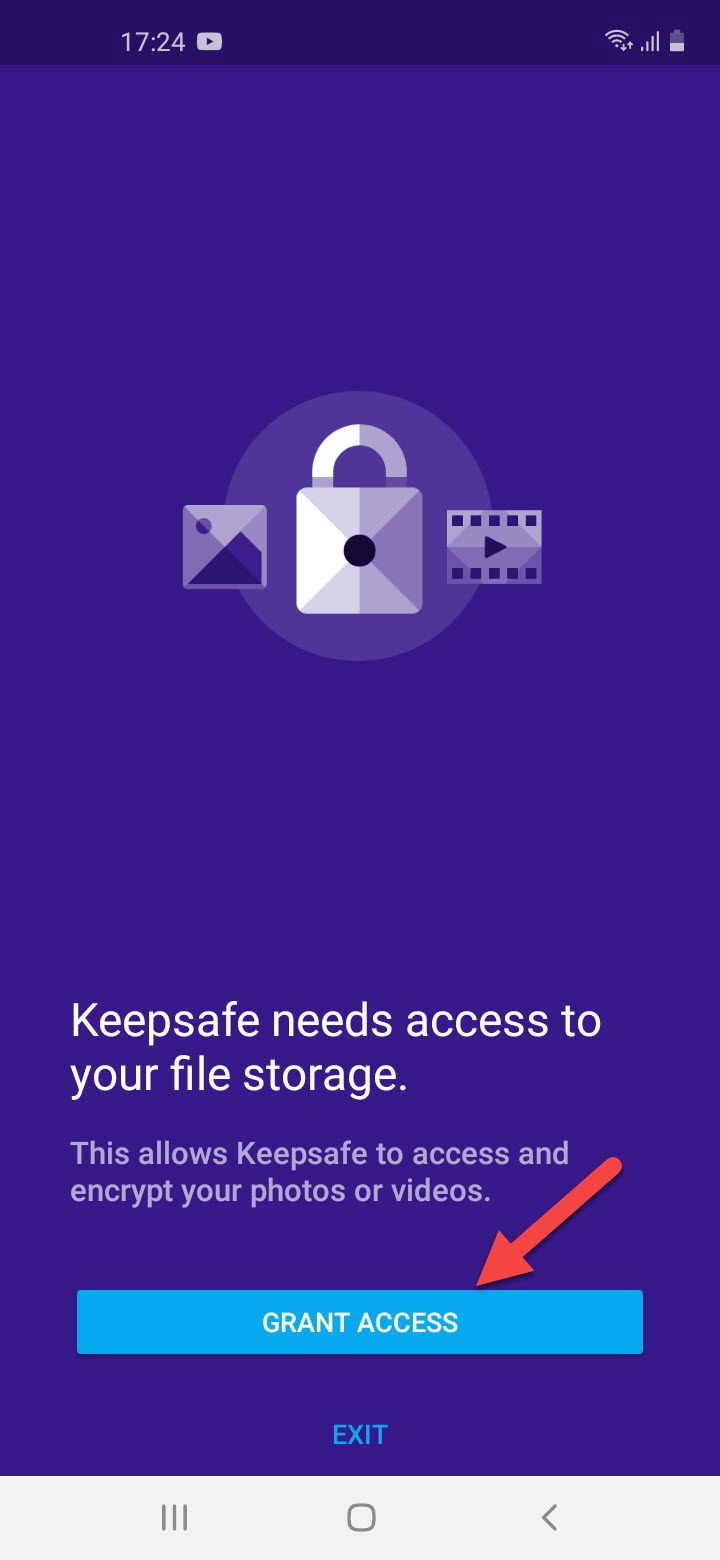 Click on the Grant Access
 Step 5. Now, create an account when you make an account then click on the Finish.
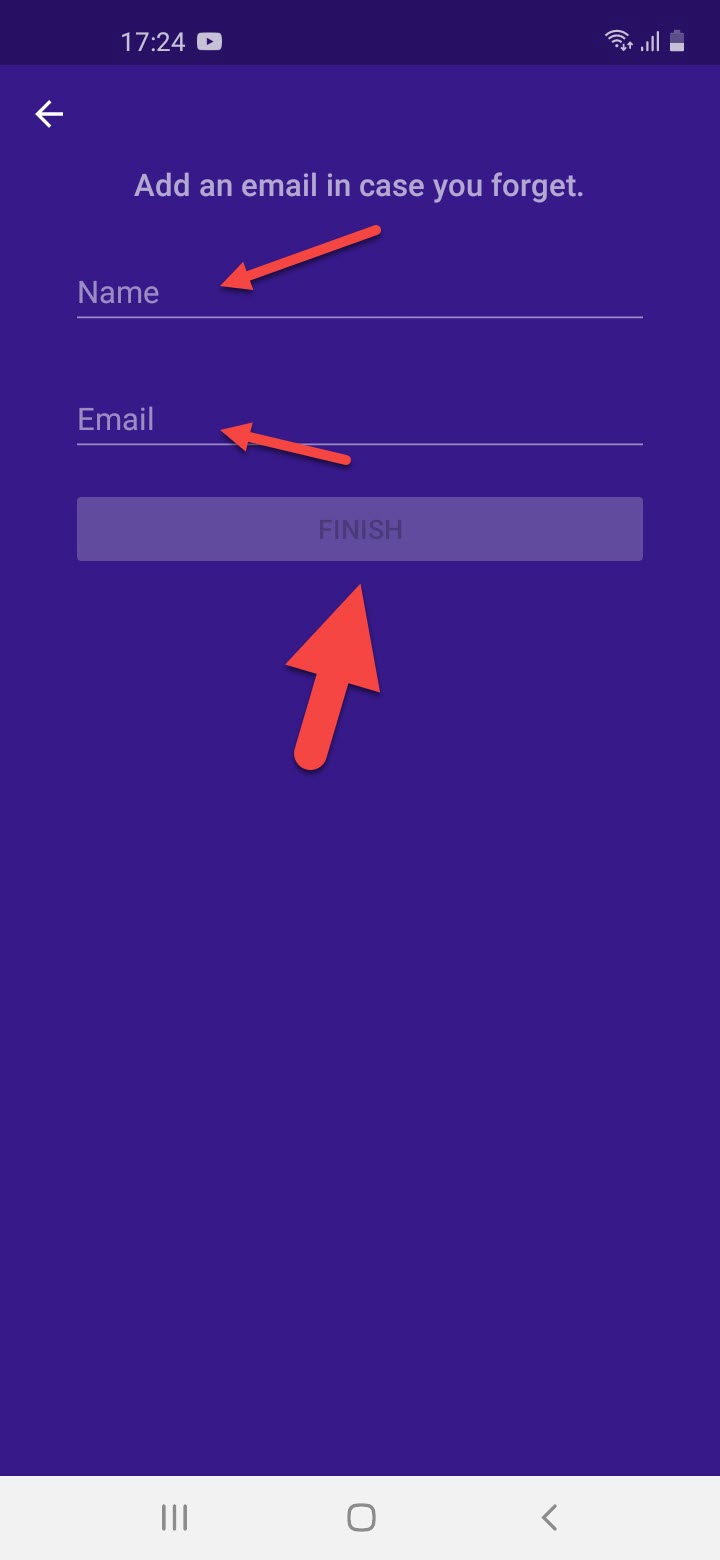 Click on the Finish
 Step 6. Next, you need to set the Pin to protect your images and videos.
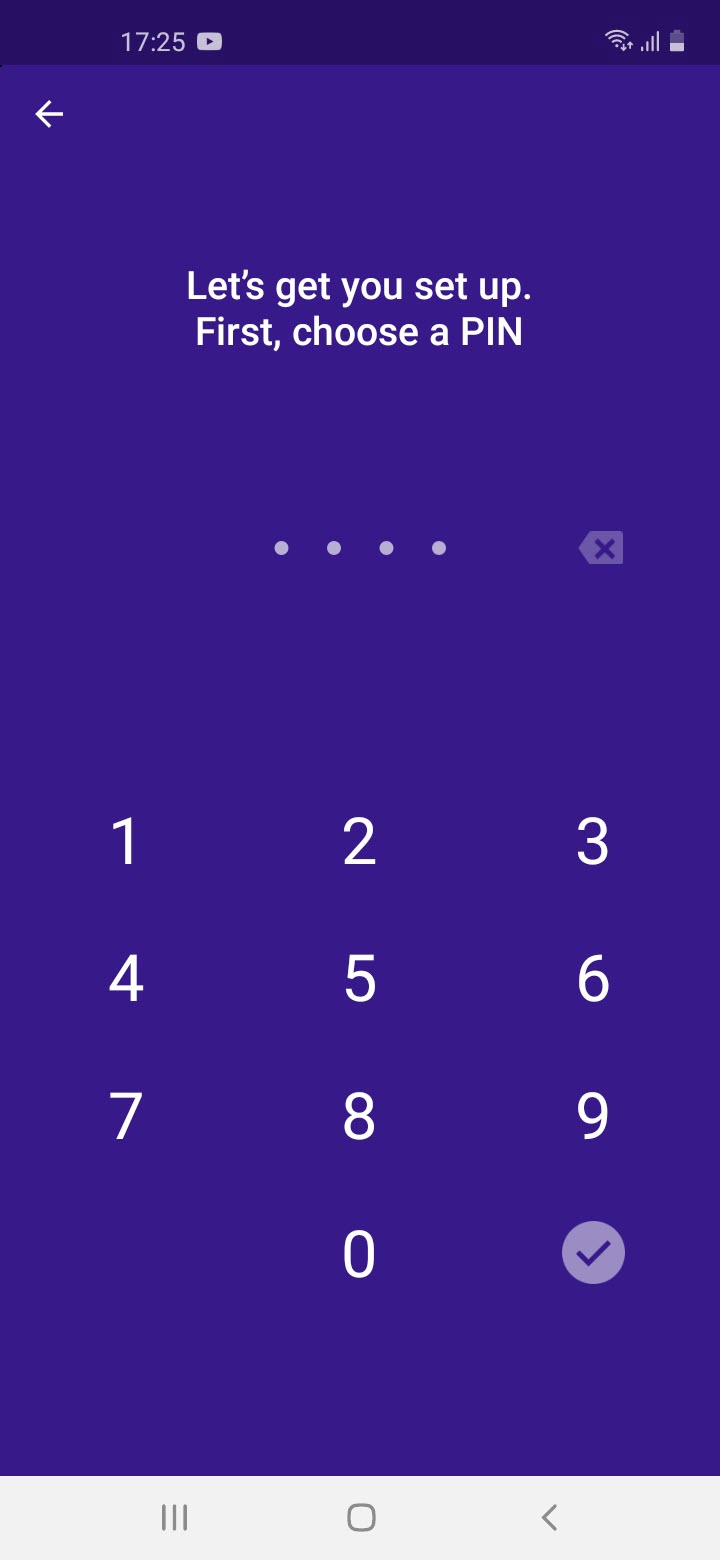 Set The Pin
 Step 7. Here click on the Plus Sign then tap on the Import Photos.
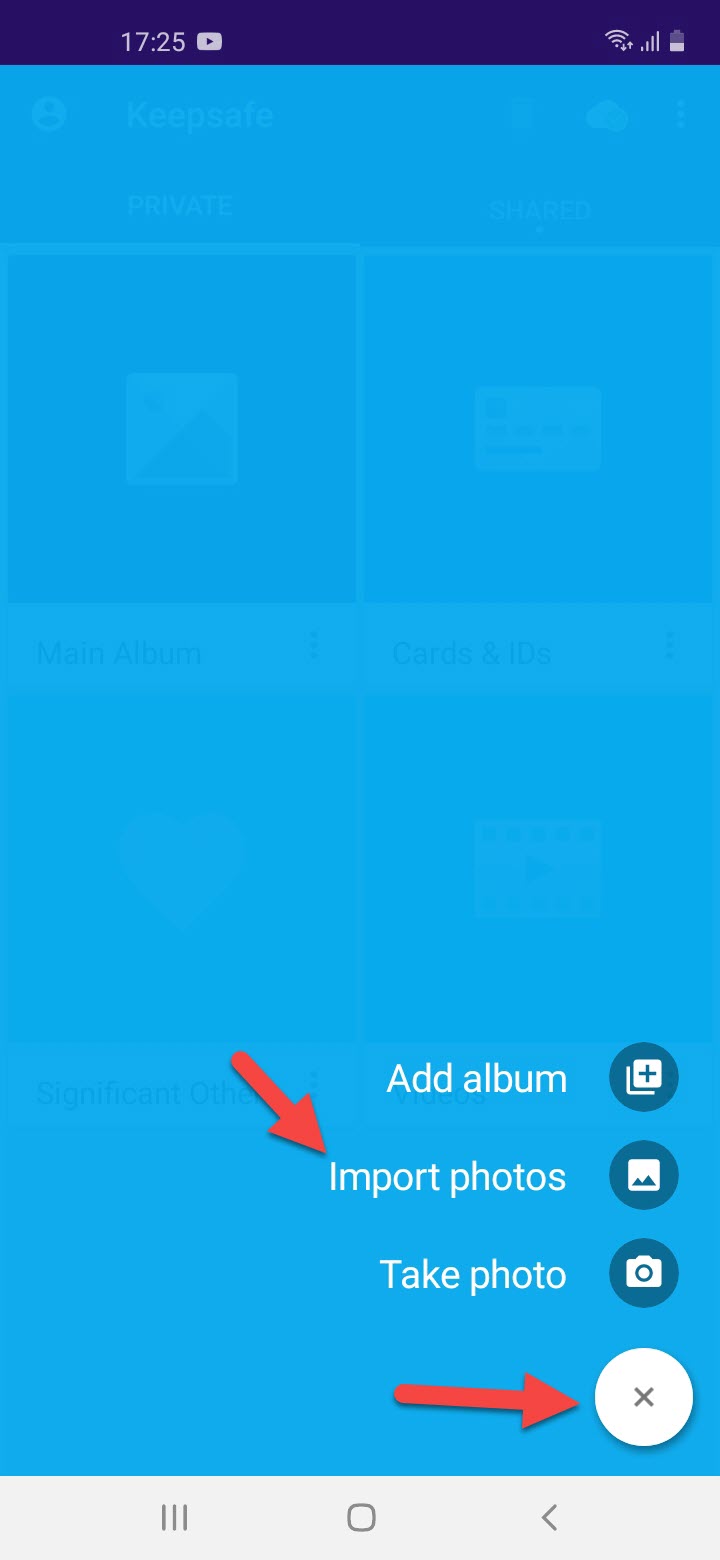 Click on the Plus sign Then Tap on the Import Photos
 Step 8. Select the photos that you want to protect that then click on the Import.
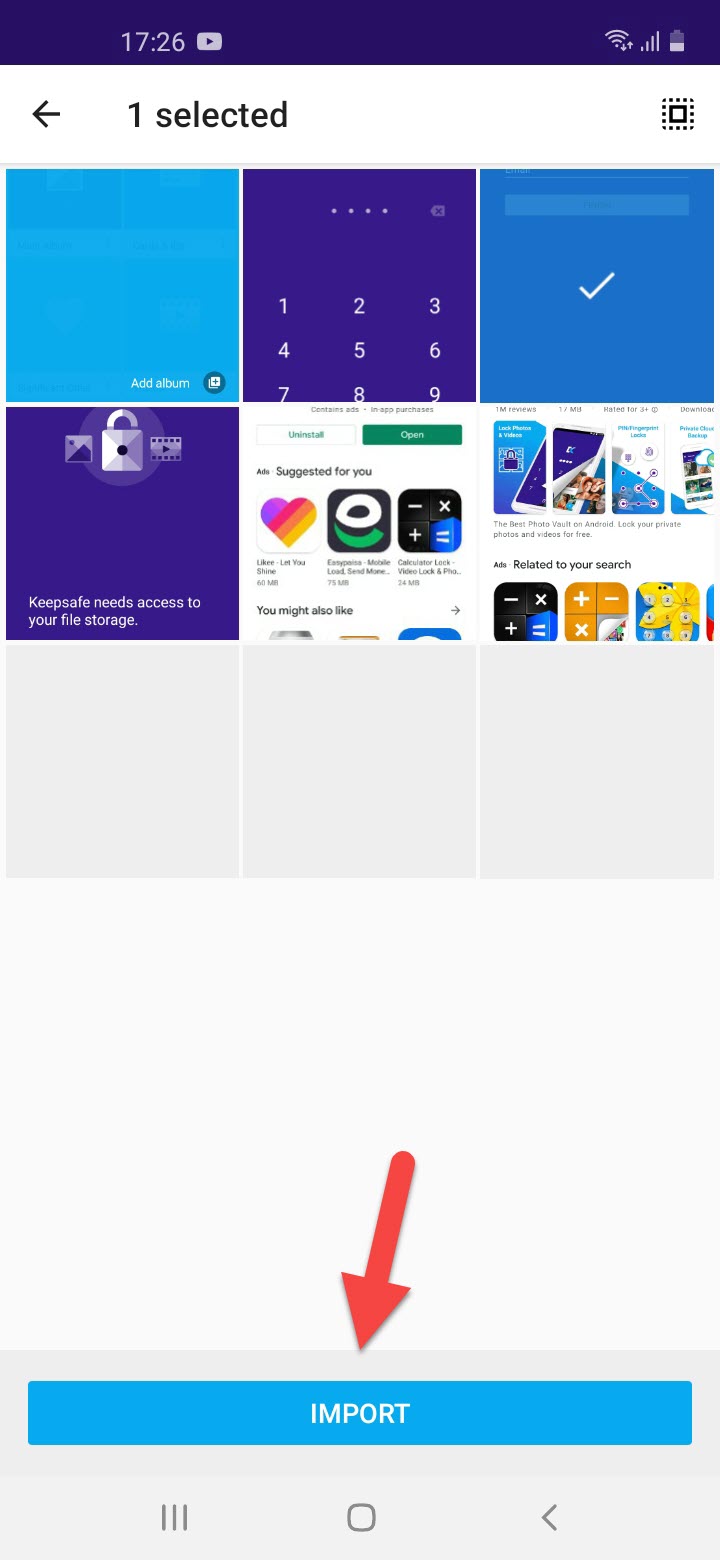 Click on the import
 When you import the photo then the photo will hide from the Gallery.
Step 9. if you want to use pattern lock then click on the Three Dots then click on the Settings, in setting you to need to click on the Lock Screen, now select the Pattern after that tap on the Done. Next, draw the pattern that you want to set to protect.
Related Posts:
How to Delete Quora Account Permanently on Android & iOS 2021
How to Convert DVDs into Digital Files with High Quality in 2021
Bottom Line
It was all about How to Password Protect Photos on Android in 2021. If you want to password protect photos then this article is for you. I hope after reading this article you will get something. And I hope this article is helpful for you. If you are facing any kind of problem then don’t hesitate to leave comments in the comment section down below.
Tagged
Share This Article
If you have a mobile most of the time you will take a picture then some of the pictures are very private that no one can see this picture. Then you don’t know to password protect photos after that in that situation you will delete your private picture because you don’t have a way to password protect your private photos. I here to give saltation for your problem. So, if you want to password protect your photos then you need to download the third-party application. Without wasting any time let’s get has started. From this article, you will learn How to Password Protect Photos on Android in 2021.
How to Password Protect Photos on Android in 2021
If you want to password protect photos then the steps are down below. I will find for you the easiest way to password protect photos. However, I hope you are doing the steps you will not face any kind of mistakes.
Step 1. At first, open your Play Store then go to the search bar after that type Keepsave Photo Vault.
Step 2. When you find the app then simply click on the Install.
Click on the Install Step 3. Once the installation is done then click on the Open.
Click on the Open Step 4. So, when the app is open the click on the Grant Access to permission to encrypt your photo and video.
Click on the Grant Access Step 5. Now, create an account when you make an account then click on the Finish.
Click on the Finish Step 6. Next, you need to set the Pin to protect your images and videos.
Set The Pin Step 7. Here click on the Plus Sign then tap on the Import Photos.
Click on the Plus sign Then Tap on the Import Photos Step 8. Select the photos that you want to protect that then click on the Import.
Click on the import When you import the photo then the photo will hide from the Gallery.
Step 9. if you want to use pattern lock then click on the Three Dots then click on the Settings, in setting you to need to click on the Lock Screen, now select the Pattern after that tap on the Done. Next, draw the pattern that you want to set to protect.
Related Posts:
How to Delete Quora Account Permanently on Android & iOS 2021
How to Convert DVDs into Digital Files with High Quality in 2021
Bottom Line
It was all about How to Password Protect Photos on Android in 2021. If you want to password protect photos then this article is for you. I hope after reading this article you will get something. And I hope this article is helpful for you. If you are facing any kind of problem then don’t hesitate to leave comments in the comment section down below.